12 13 14 15 16
1
3
578 9 11
10
4
62
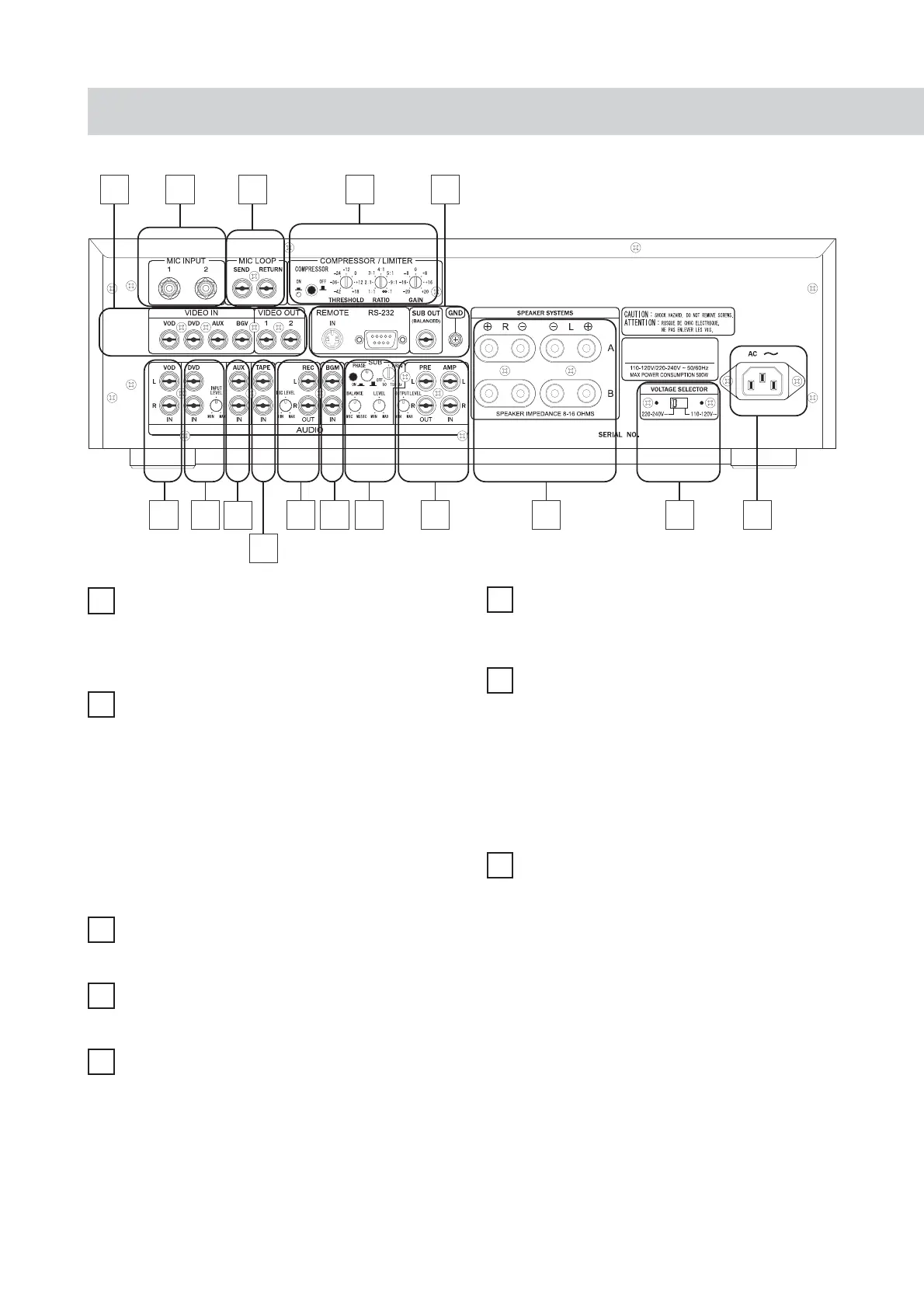
Audio input jack for VOD (Video-On-
Demand)
Input jack to link with the audio signal of VOD
channel.
1
Audio input jack for DVD player
Input jack to link with the audio signal from DVD
player.
2
3
Input jack for TAPE deck
Input jack to link with the TAPE audio device.
4
Audio input jack for AUX (auxiliary) device
Input jack to link with external audio device.
5
REC AUDIO
-
Audio output jack of
recording output device
SUB
Subwoofer management
PHASE : Phase selection switch
FREQ :Frequency selection switch
BALANCE :To adjust the mixing ratio
of subwoofer output between MIC and
MUSIC.
LEVEL :To adjust the output level.
7
8
Pre-output level adjustment
Used to adjust the level of audio output to the post
amplifi er.
* The default value of level adjustment device is
the maximum value.
PRE
-
Pre-output jack
Output the audio signal to other post amplifier or
mixer, electronic crossover device for expanding
the output signal or obtaining a higher power
output.
AMP
-
Post-input jack
Used to link with other pre-amplifier or signal
processor.
Rear panel controls and their functions
BGM audio input jack
The input jack to link the audio device of BGM
(Back Ground Music).
6
To link with the recording device, for example,
the cassette deck; able to record the same audio
signal as the amplifi er.
MIC LEVEL – to adjust the output magnitude of
recording microphone.
INPUT LEVEL
Can be used to intensify or attenuate the input
signals from the DVD player according to the
personal favor.
* Preset value for this level adjustment device is the
maximum value.


 To Next Page