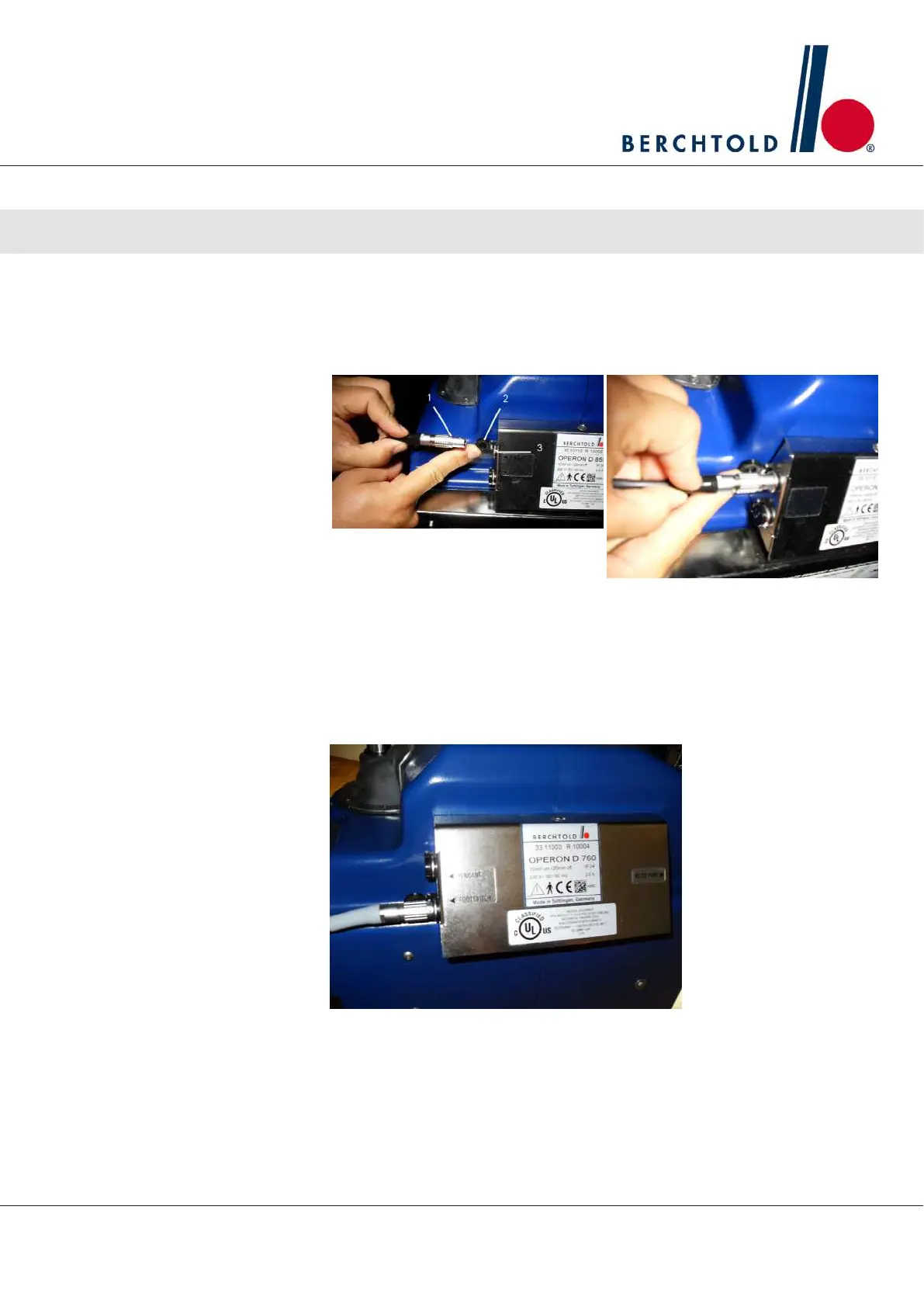
3.4 Connecting the hand pendant
1. Attach the hand pendant to the control sleeve by connecting the
cable (1) and the jack (3). To do so, open the protective cap (2).
Align the red dots on the plug connections and push into the lock
3.5 Connecting the foot control (optional)
1. Attach the foot control (optional) to the control sleeve by connect-
ing the cable and the jack. Open protective cap and align the red
dots on the plug connections
¡
See Section 3.4 on connecting the hand pendant.
Operator Manual Surgical Mobile Operating Table Models D860, D850, D 830, D820, D770, D760
Installation and initial start-up
21








 To Next Page