NOTICE
If there is no leg section attached and the leg section adapters
are angled greater than -75° when the LEVEL function is activat‐
ed, the adapters are leveled last.
4.13 Using preset positions
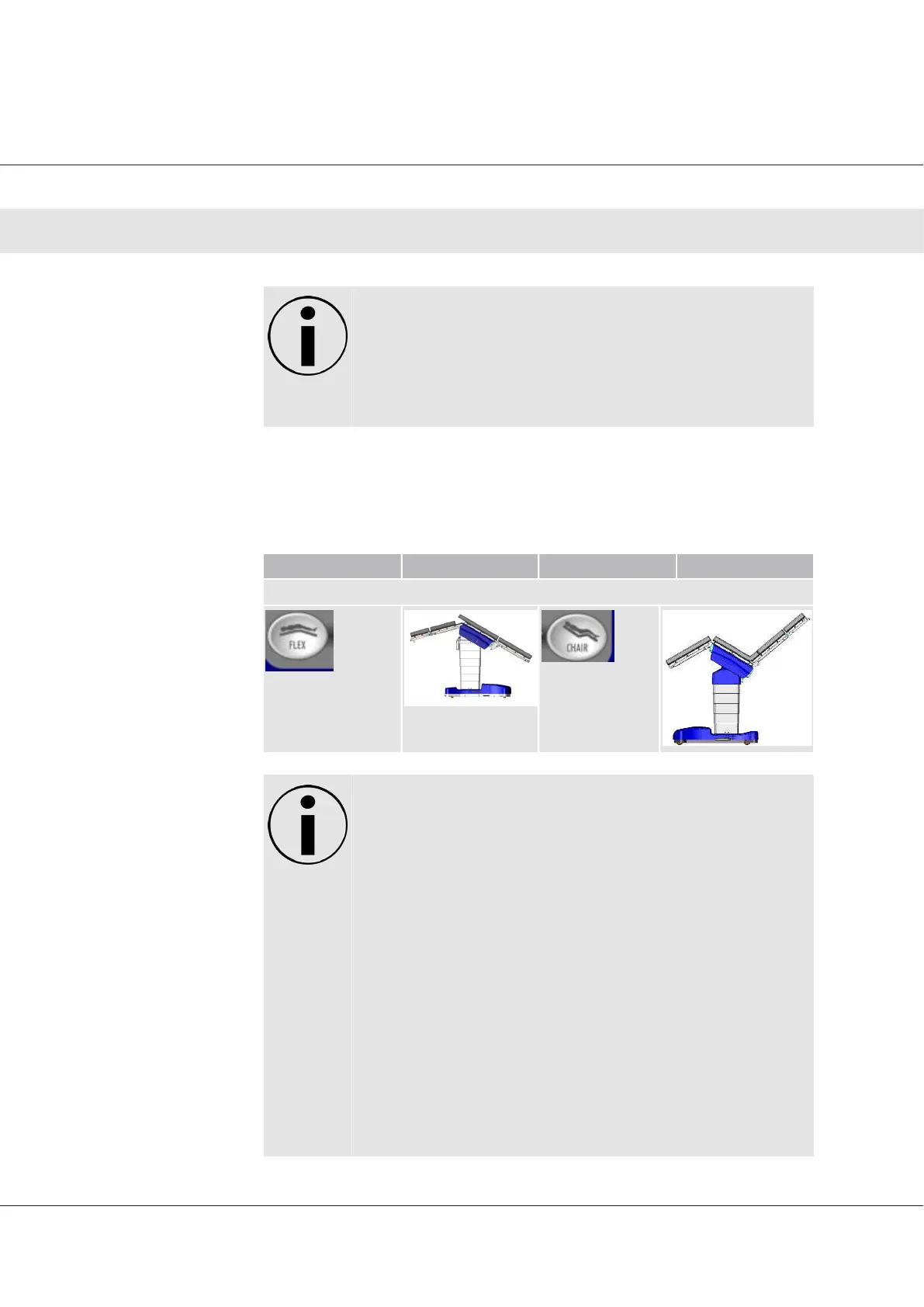
Button Result Button Result
Preset positions
(PRESET FLEX)
(PRESET CHAIR)
NOTICE
1. Hold down the corresponding button until the desired
position is reached.
2. Pressing FLEX from the level position will slide the table
top to the full slide to head, then move back down and
the seat to re-verse trend.
3. Tables with software versions prior to 8.040 do not slide
the table to the head when Flex is pressed. (see page 6).
4. Pressing FLEX from the flex position will continue to posi-
tion the OPERON® Table to its full flex limit if the table is
at or past the centered position toward the head side.
5. Ensure that there is sufficient clearing at the head and
foot sections, allowing OPERON® Table to return to its
center point. Pay special attention to wires or tubes con-
nected to the patient as well as any other surgical
equipment located in close proximity to the table.
Operator Manual Surgical Mobile Operating Table Models D860, D850, D 830, D820, D770, D760
Operation
44








 To Next Page