¡
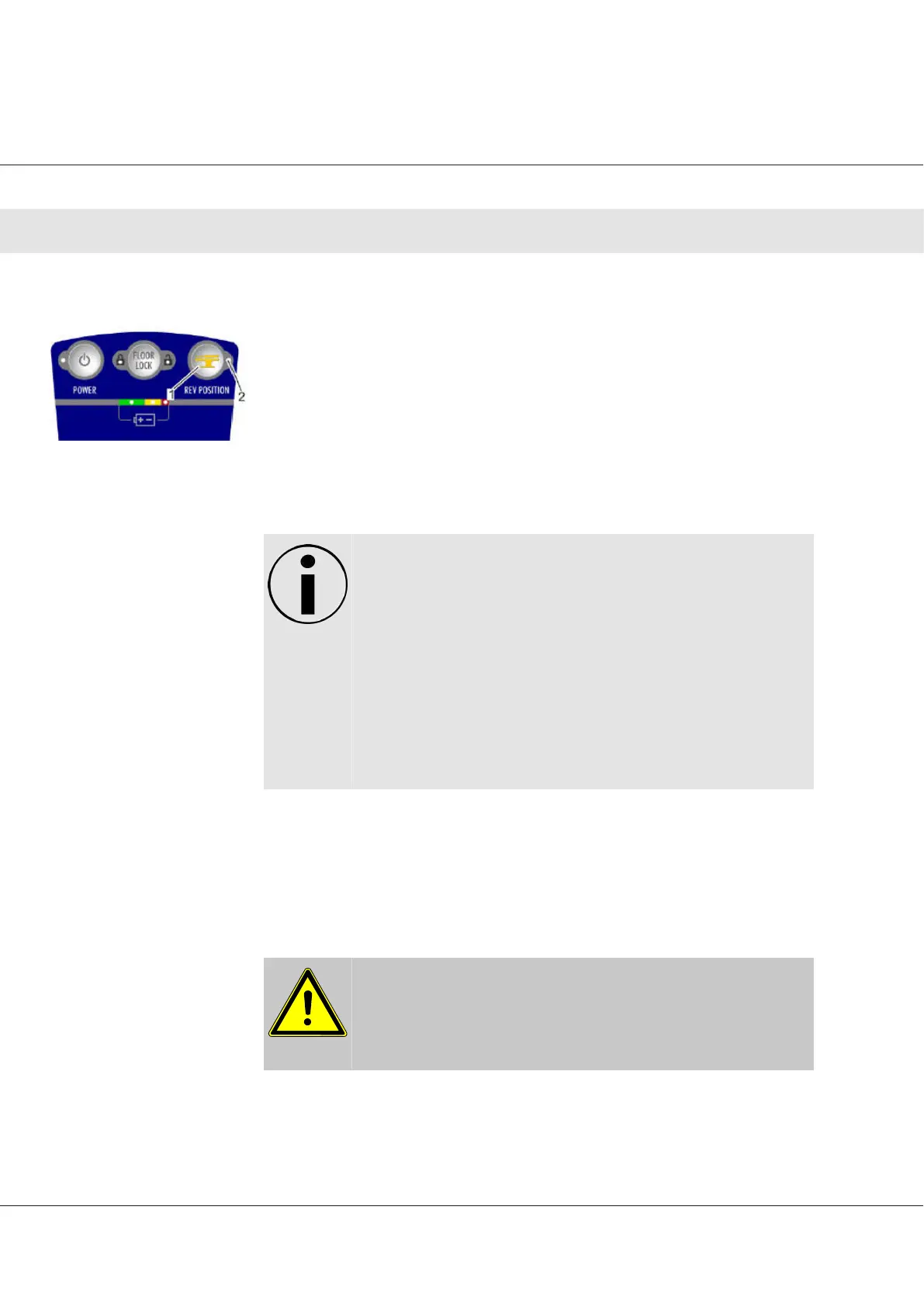
Press REV POSITION
→ The REV POSITION indicator light illuminates yellow.
1. REV POSITION button (1)
2. REV POSITION indicator light (2)
D850 model tables starting with S/N 3260 and 3261 do not have the REV
button. Instead they have a HI/Lo button that controls the speed of a
sections movement. Hi is the standard setting and Lo is a reduced speed
setting.
NOTICE
ü
The following functions operate in reverse during reverse
orientation:
1. LEG
2. Back section (BACK)
3. Trendelenburg (TREND)
4. Lateral tilt (TILT)
5. Flex
6. InstaDrive™
¡
Hold down the corresponding button on the hand pendant until the
desired position is reached (see “Changing patient position” chap-
ter)
¡
Press REV POSITION (1)
→ The REV POSITION indicator light goes out when reverse orientation is
turned off.
CAUTION
Always make sure that the OR table is in the correction orienta‐
tion!
Turning on reverse
orientation
Turning off reverse
orientation
Operator Manual Surgical Mobile Operating Table Models D860, D850, D 830, D820, D770, D760
Operation
34








 To Next Page