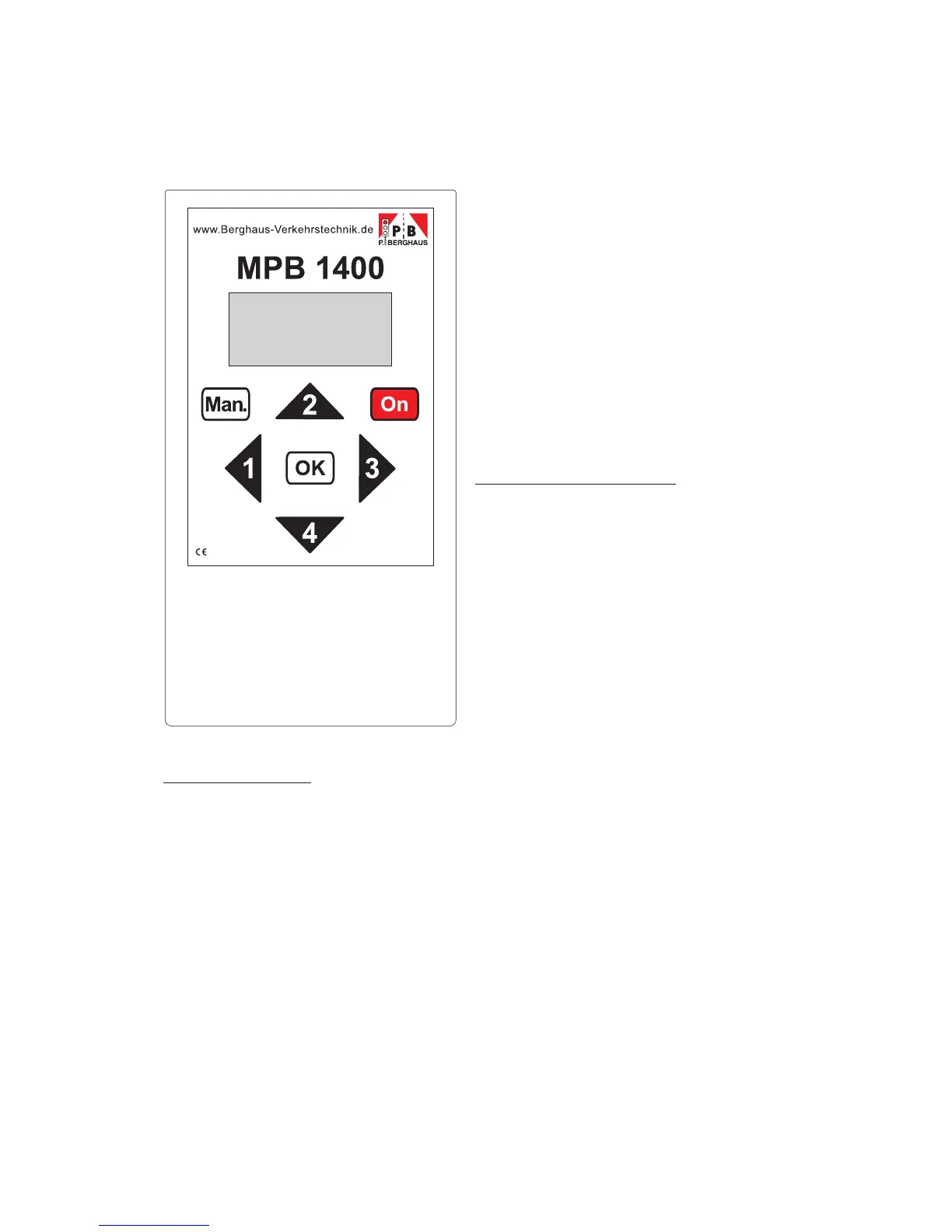
Hand box MPB 1400
Button functions
"ON" switches the hand box on; press and hold for 2 sec. to switch
the lighting on
"1" moves to the left in the menu or decreases values
"3" moves to the right in the menu or increases values
"2" moves backwards in the menu
"4" moves forwards in the menu or confirms inputs.
"Man" activates the manual mode
"OK" start button and special functions
1
The hand box is used for quick and easy
programming of the signal system MPB
1400. The hand box queries the necessary
inputs and guides you through the menu.
Your national language is already adjusted
when the hand box is delivered.
If you should prefer another language, you
can change this accordingly.
Adjusting the language
To do so, press buttons "1+2+4+ON" at the
same time on the hand box which has been
switched off, and hold them for 5 seconds
until the hand box has introduced itself and
the language selection menu appears. Now
use buttons "1" or "3" to select the required
language. Press "4" to confirm your
choice. (Other languages are available on
request).
The power supply for the hand box consists of a 9V block battery. Please purchase a
new top quality alkali battery when the display shows "Battery old". The battery must
be replaced at the latest when the display shows "Battery flat".


 To Next Page