M Tu W Th F Sa Su
EVERY
3
M Tu W Th F Sa Su
Th
Th
1
2
Setting the Irrigation Days
A screen with the valve number and the label
OFF appears.
This indicates that no irrigation program is set
for this valve.
Important: this screen does not appear when
this valve has an irrigation program already.
Press the
button
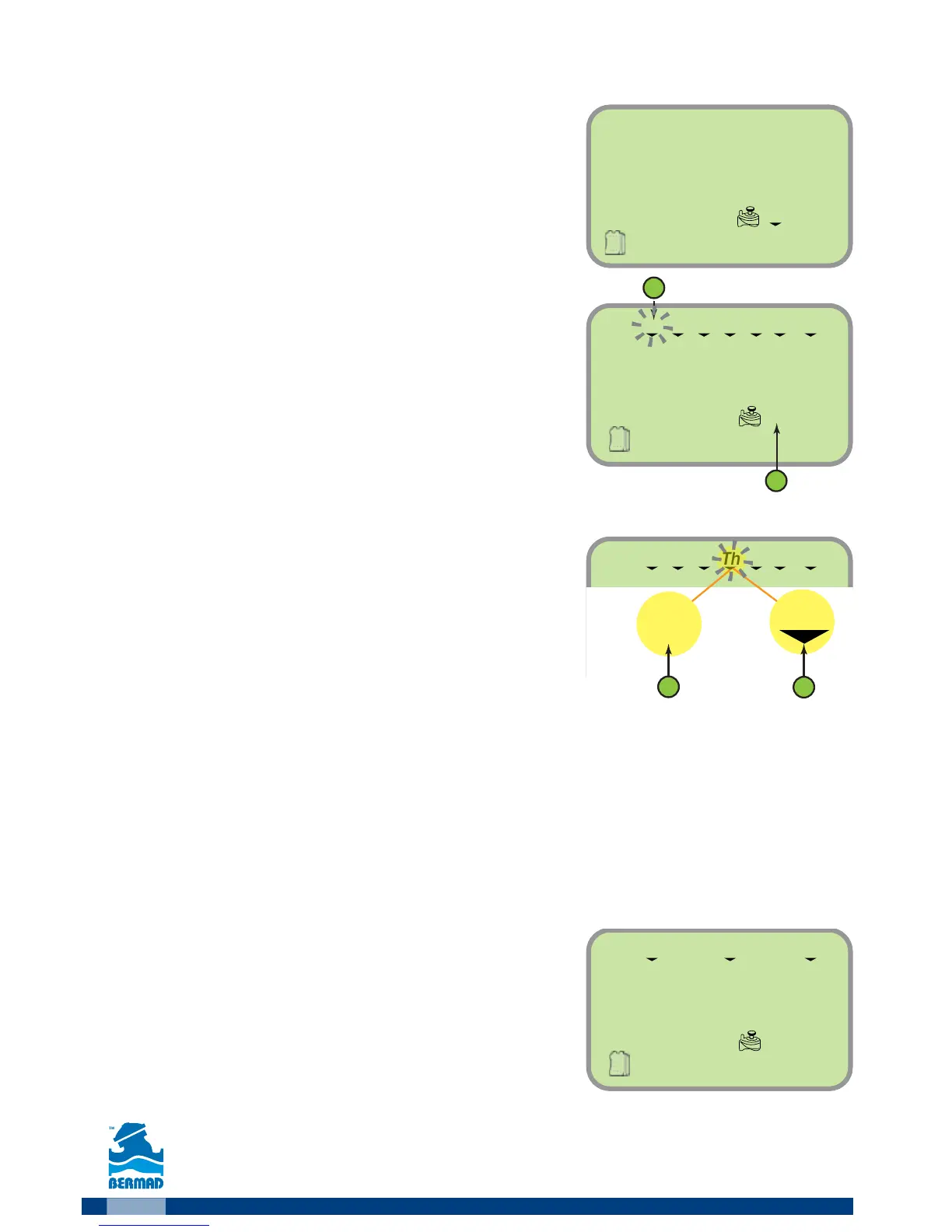
The screen displays the days of the week and
the valve number to be programmed.
The first day of the week (Monday) is flashing (2).
The arrow under the day symbol indicates that this
day is assigned for irrigation (see number 1 in the picture).
As default all the days of the week are assigned
for irrigation.
1. Press the
button (2) until the arrow under
the day symbol disappears. This action excludes
this day from the irrigation days.
2. Press the
button (1) until the arrow under
the day symbol appears. This action set this day for irrigation.
3. Use the
button to move to another day, the selected day starts flashing.
Important: Pressing the Y button while M is flushing or pressing the W
button while Su is flushing shifts the controller to irrigation by days-
interval mode. Press the opposite arrow to return to days of the week
mode.
4. Select the required irrigation days for the selected valve.
Example: The screen on the right displays
irrigation setting for valve number 3 on Monday,
Thursday and Sunday.
5. Press the
button
6. Press the
button to move to the next stage
“setting the irrigation start time”.



 To Next Page