28
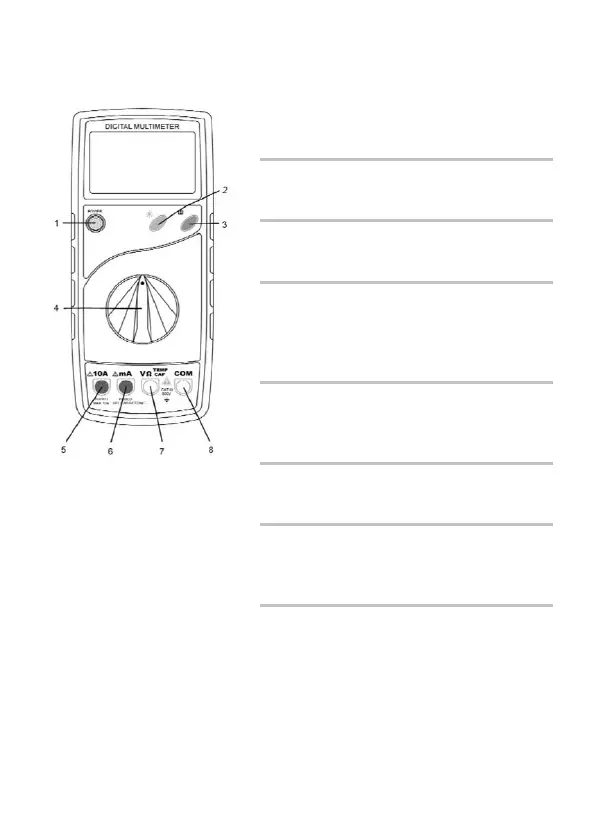
Switches, buttons and sockets description
The device is turned on and off us-
ing the "POWER" push-button
switch.
Press this button to turn the torch
function on and off.
(3) Memory log but-ton (H)
Press this button to store the actual
measurement value.
(4) Measuring func-tion selector
switch
Use the rotary selector switch to se-
lect the various measurement
modes.
The 10 A socket must be used for
current measurements above
200 mA.
For current measurements up to
200 mA.
(7) Input socket
V/Ω/TEMP/CAP
Red test lead for all types of signals
supported by the instrument.
Black test lead for all types of sig-
nals supported by the instrument.


 To Next Page
 Loading...