2
Removing Covers
MAKE SURE THE MACHINE IS NOT PLUGGED IN BEFORE
STARTING.
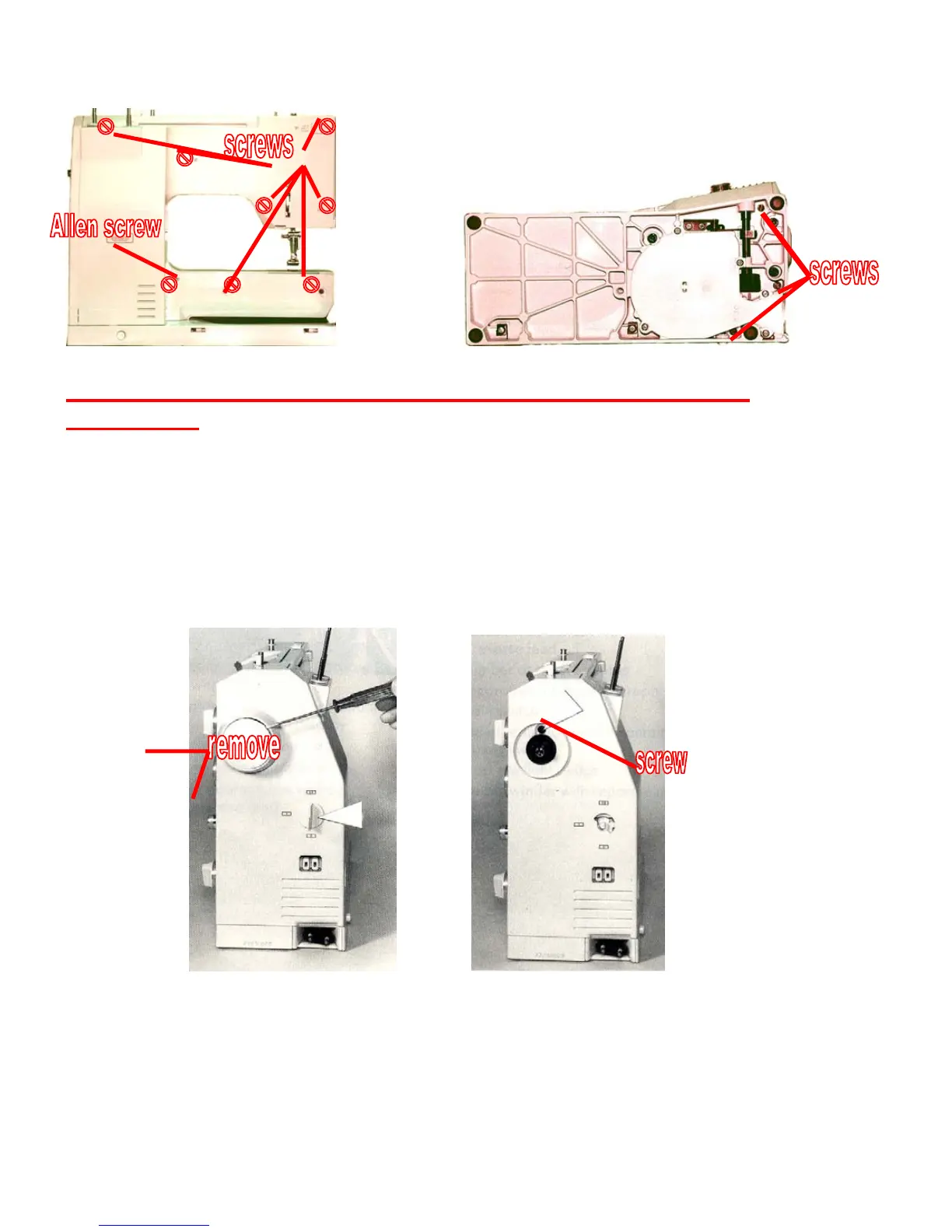
On the back of the machine, remove the screws as shown. On
the back of the open arm you will find covers on two of the
screws. The third screw on the arm is a 2.5mm Allen screw.
Carefully lay the machine on its back and remove the three
screws as shown.
Remove the hand wheel cover and the dial. They come off by
gently prying with a small screw driver. Remove the hand wheel
screw and cover screw then remove the hand wheel. Remove
the screw under the hand wheel. You can now carefully take off
the rear and side covers which come off together.



 To Next Page