1
GENERAL INFORMATION
22
GB
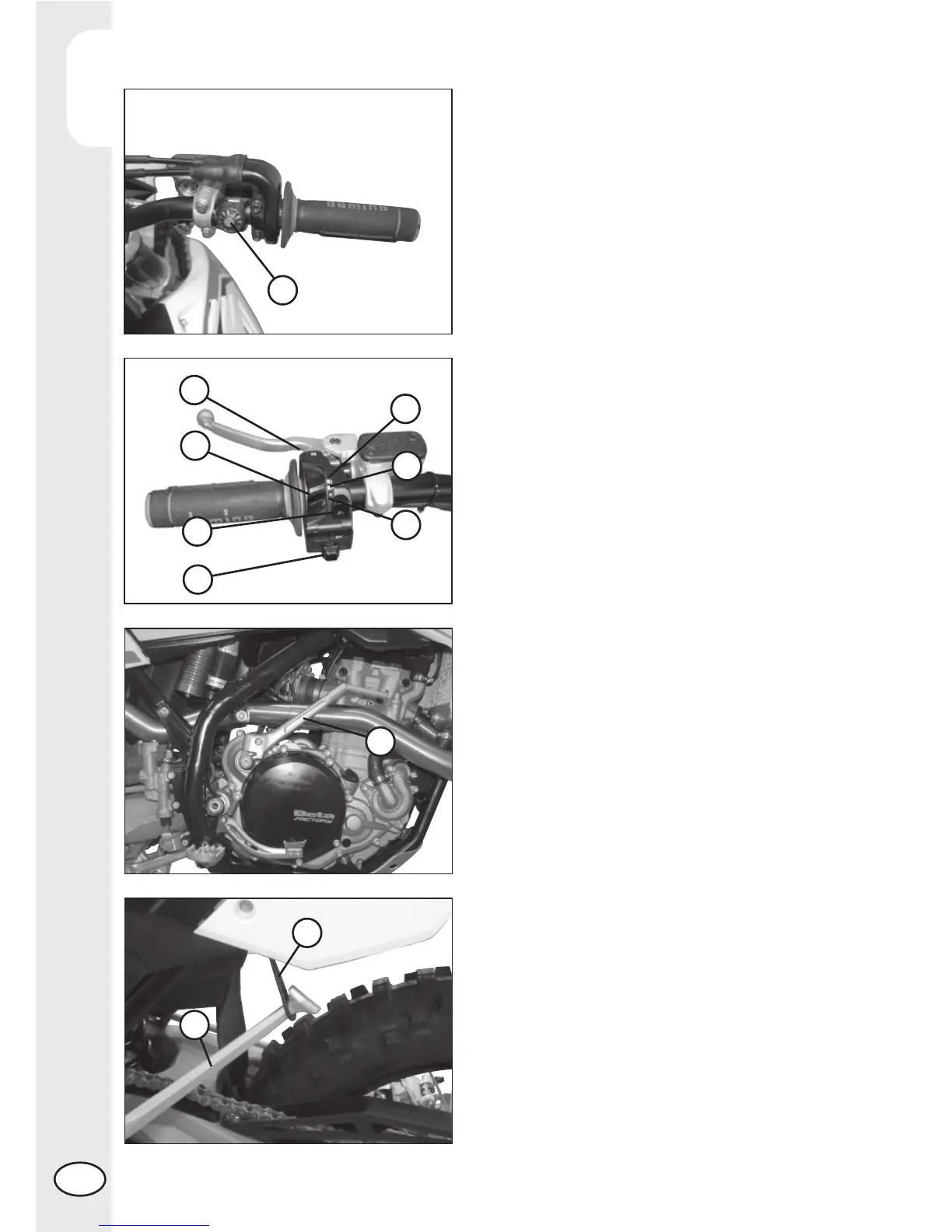
LH SWITCH
Dip switch 2 has three positions:
A = lights off
B = low beam on
C = high beam on
Button 3 operates the horn.
Switch 4 is used to stop the engine. Press
the button until the engine stops.
INDICATOR SWITCH
Shifting lever 5 left or right activates the
left or right indicators (if installed). When
released, the lever returns to the central
position. Press it to turn the indicators off.
KICKSTART
Kickstart 6 is fi tted to the right-hand side
of the engine.
The upper part of the kickstart can be
oriented.
SIDE STAND
Press down side stand 7 with the foot and
lean the vehicle against it.
Ensure that the ground is solid and the
vehicle stands steadily.
If the vehicle is used off-road, the closed
stand can be further fastened by means of
rubber band 8.
STARTER BUTTON
Starte button 1 is located on the right-hand
side of the handlebars and operate the
electri engine starter. Push the button until
the engine sterts.
Do not press the button 1 while the engine
is running.
1
4
2
3
5
C
B
A
6
8
7



 To Next Page