EasyManua.ls Logo

Better BT-532C - Page 26

Better BT-532C
56 pages
Print Icon
To Next Page IconTo Next Page
To Previous Page IconTo Previous Page
Loading...
BT-532C User manual
26
This command only fill print buffer,graph begin to print after receiving print
command. After graph printing,buffer will empty.
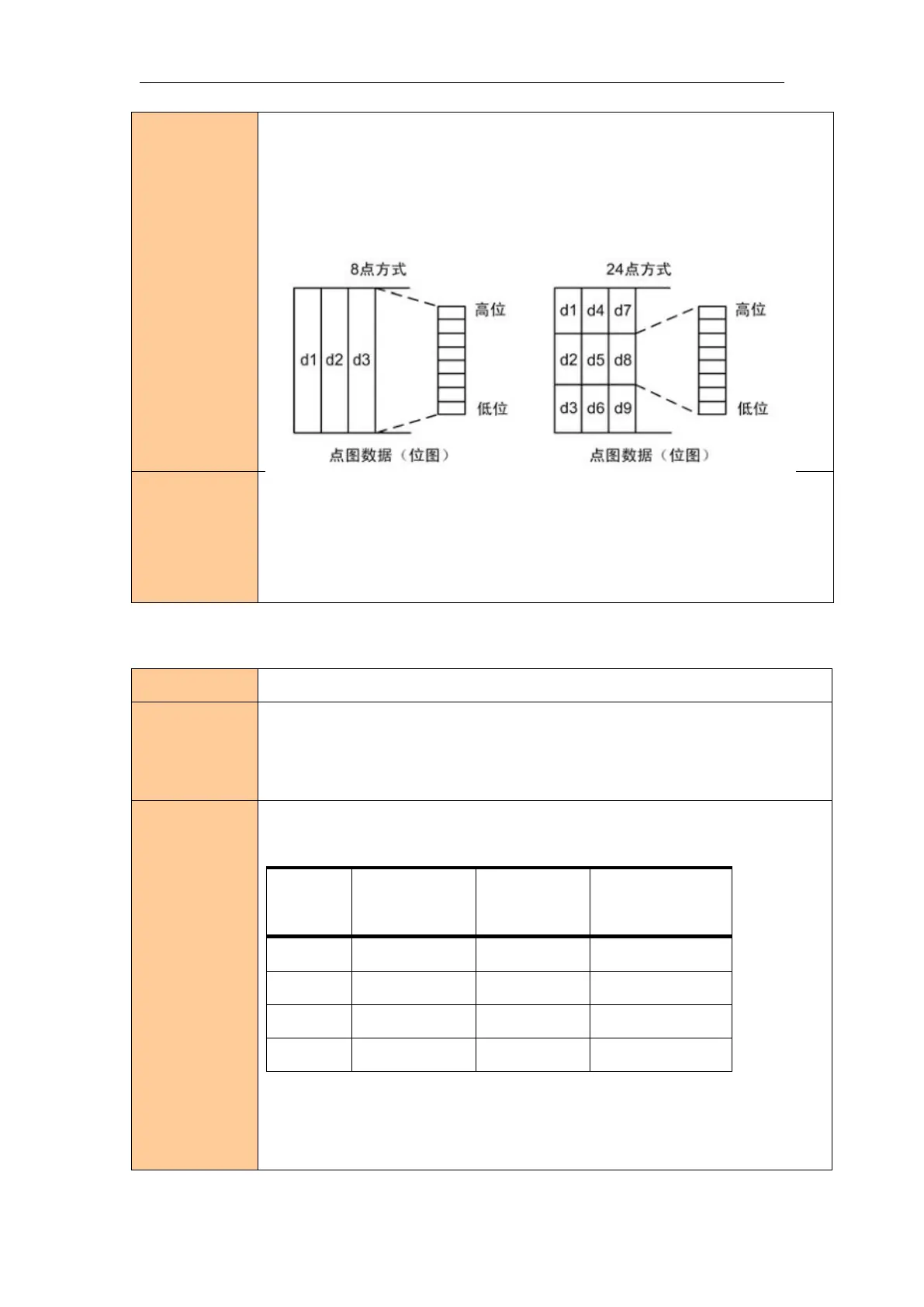
If the graph length too big,you can split to several graph like 8 lengthm = 01or
24 dotm = 3233 .
After filling graph data, you can fill other information,print it together.
After filling dot graph,use ESC Jn = 24and LF to print,but LF will cause feed. You
can set line space=o,and no more feed.
Usage example
1B 40
1b 2a 00 0C 00 FF FF FF FF FF FF FF FF FF FF FF FF
1B 33 00
0A
Print raster bit image
Name
Print raster bit image
Format
ASCII GS v 0
Decimal 29 118 48 m xL xH yL yH [d]k
Hexadecimal 1D 76 30 m xL xH yL yH [d]k
Description
Selects raster bit-image mode. The value of m selects the mode, as follows:
m
Mode
Vertical
Dot Density
Horizontal
Dot Density
0, 48
Normal
203.2 dpi
203.2 dpi
1, 49
Double-width
203.2 dpi
101.6 dpi
2, 50
Double-height
101.6 dpi
203.2 dpi
3, 51
Quadruple
101.6 dpi
101.6 dpi
xL, xH, select the number of data bytes (xL+xH×256) in the horizontal direction for
the bit image.
yL, yH, select the number of data bits (yL+yH×256) in the vertical direction for the

Related product manuals