EasyManua.ls Logo

Better BT-532C - ⑤One-Dimension Bar Code Command

Better BT-532C
56 pages
Print Icon
To Next Page IconTo Next Page
To Previous Page IconTo Previous Page
Loading...
BT-532C User manual
36
d1 ... dk horizontal tab positions,8 dots as a unit,NULL as an end-mark.
Parameter range
XX581 d 46d1 <d2 < …… dk 1 k 16
XX801 d 70d1 < d2 < …… dk 1 k 16
Default
[d]k = 0
Supporting
model
All
Notes
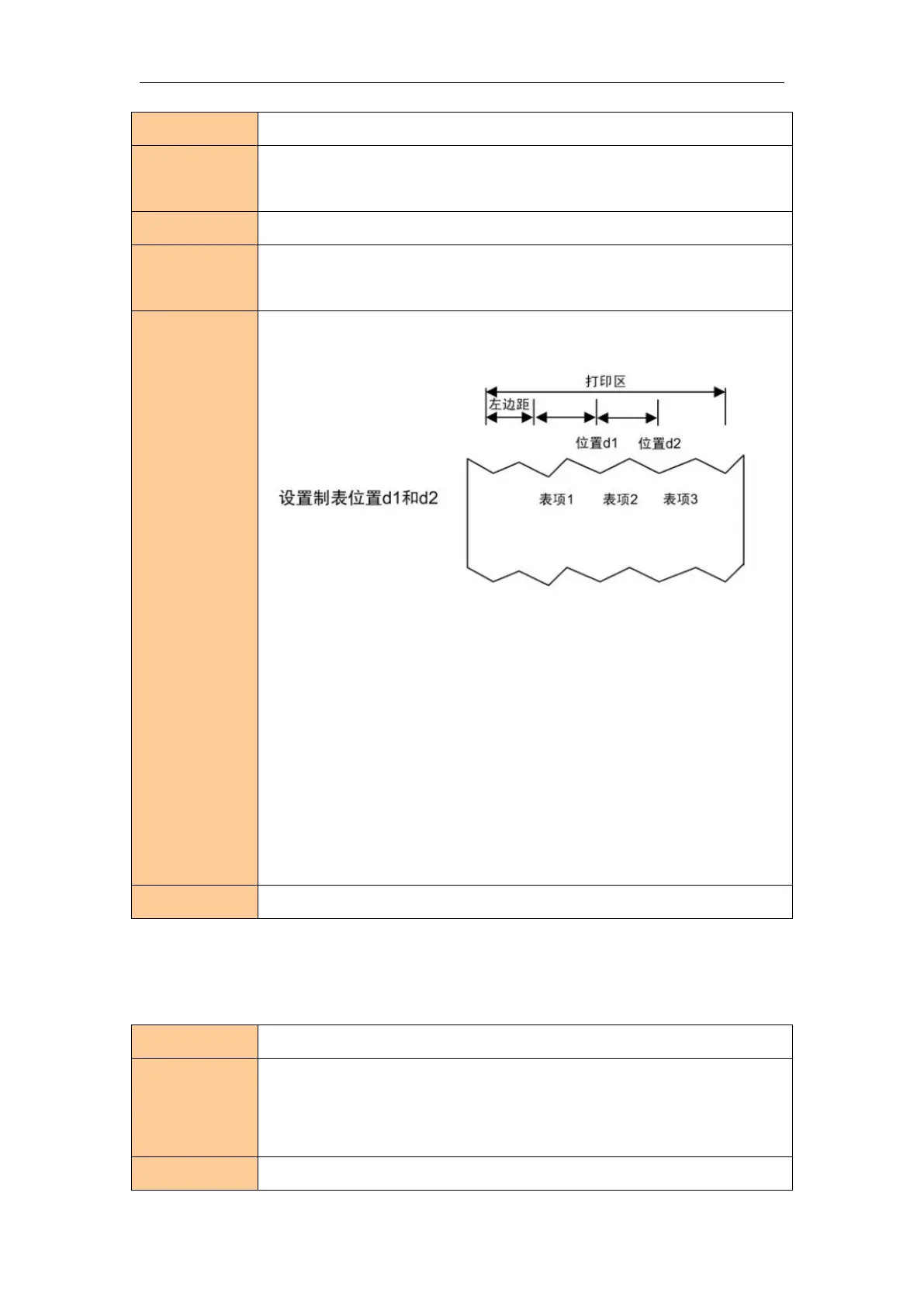
Tab positions as follows:
Tab positions are not more than 16.
The command can cancel previous tab positions setting.
K is used for a sign ,not for transmission.
When [d]k runs into NULL,tab setting is finished.
When [d]k is less than or equal to the preceding value [d]k-1, tab setting is
finished and the following data is processed as normal data.
Tab positions can be shifted by HT.
Tab position will change when margin-left changed.
When ESC@,resetting printer,power off,the command will failure.

Usage example
N/A
One-dimension Bar Code Command
Select HRI printing method
Name
Select HRI printing method
Format
ASCII GS H n
Decimal 29 72 n
Hexadecimal 1D 48 n
Description
Selects the printing position of HRI characters when printing a bar code. n

Related product manuals