6
EN
Setting up / Using
3 Setting up
3.1 Unpacking the betterLink
1. Carefully open the shipping box and take the betterLink
out of the shipping box. It is ready to use in the shipping
box.
2. Keep the packaging for future transport, return or long-
term storage.
3. Check that the scope of delivery is complete. The
shipping box must contain the betterLink, dust caps for
all connections, the power cable, the data cable and the
user manual.
4. Check that the betterLink, the power cable and the data
cable are undamaged.
5. If you notice any missing or damaged parts, contact
the manufacturer see “2.4 If a product is broken” on
page 5.
3.2 Conditions for the installation site
• Always place the betterLink on a firm and even surface. If
necessary, screw the betterLink to the surface. To do so,
only use screws (M6) or bolts which are strong enough
to hold the forces which can occur when using the
betterLink. Please check screws and bolts regularly for
signs of damage or loosening.
• The maximum terrain slope without any risk of tilt is 10%.
• Avoid rain and direct sun to extend the life of the better-
Link. If you use the betterLink indoors, always check that
the relative humidity (non-condensing) in the room is
below 95%.
• Check that you can meet the requirements for ambient
temperature see “9 Technical Data” on page 11.
• Never use the betterLink in explosive atmosphere.
• Avoid dusty areas.
• Never use the betterLink for a long period in areas with
high salt concentration in ambient air or water, such as
the seaside or in winter on streets where de-icing salt is
used, or in other highly corrosive environments.
• Never position the betterLink in close proximity to any
heat source, such as heaters or appliances with high
thermal irradiation. Always keep a distance to such heat
sources so that you can meet the requirements for ambi-
ent temperature see “9 Technical Data” on page 11.
• Never use the betterLink in close proximity to any explo-
sive or dangerous substances, such as petrol.
• Check that the power cable and the data cable are not
under tension.
4 Using
4.1 Checking the betterLink
1. Check the betterLink, including connections, power cable
and data cable, before using them.
2. If you notice any damage, such as cracks, brittleness,
smell, smoke, fading of the original colour or ejected
liquids, do not use the betterLink and contact the manu-
facturer see “2.4 If a product is broken” on page 5.
4.2 Connecting the betterLink to the
betterUI and appliances
✓ The betterUI is not connected yet.
✓ Appliances are turned o and not connected yet.
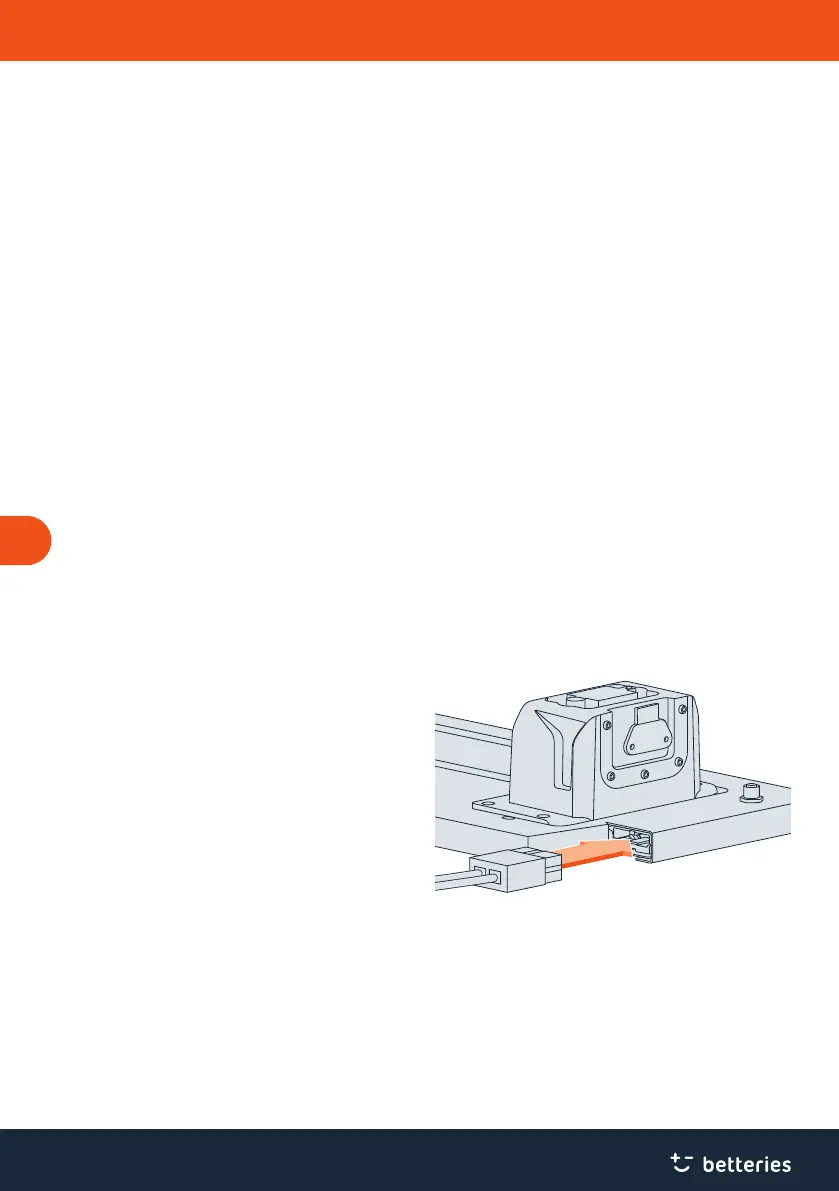
Fig. 2 Plugging power cable into the betterLink.
1. Plug the power cable into the betterLink.
2. Plug the power cable into the appliance. Always follow
the instructions provided by the manufacturer of the
appliance.



 To Next Page
 Loading...