26
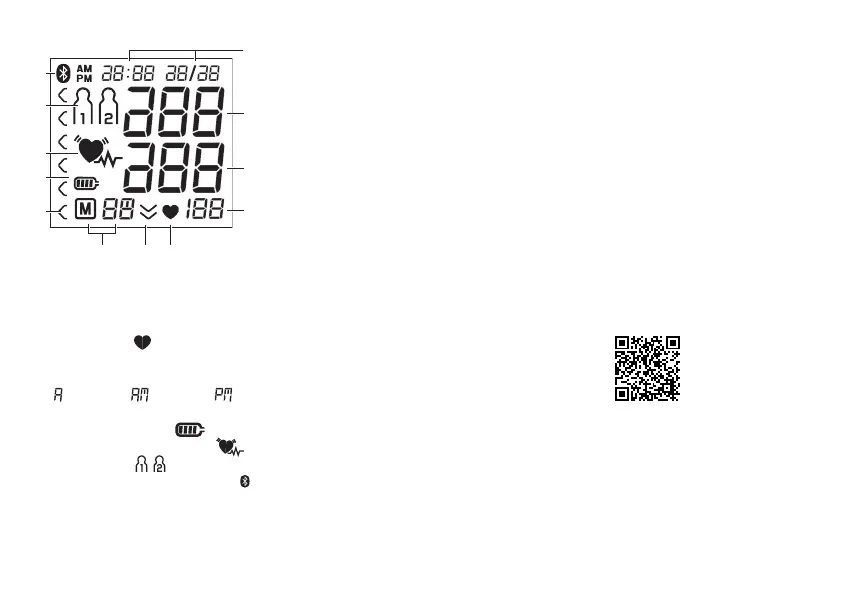
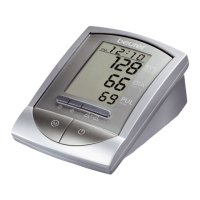
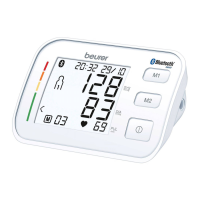
Information on the display:
1. Time/date
2. Systolic pressure
3. Diastolic pressure
4. Calculated pulse value
5. Pulse symbol
6. Release air (arrow)
7. Number of memory space/memory display average value
( ), morning ( ), evening ( )
8. Risk indicator
9. Battery level symbol
10. Cardiac arrhythmia symbol
11. User memory
12. Symbol for Bluetooth
®
transfer
USB interface
The blood pressure monitor also allows you to transfer your
measured values to the PC.
To do this you require a commercially available USB cable
(included in delivery) and the “beurer HealthManager” PC
software.
The software can be downloaded free of charge from the
download area under Service at www.beurer.com.
System requirements for the „ beurer HealthManager“ PC
software
–
from Windows 7 SP1
–
from USB 2.0 (Type-A)
System requirements for the “beurer HealthManager”-app
–
iOS ≥ 8.0, Android
TM
≥ 4.4
–
Bluetooth
®
≥ 4.0
List of compatible devices:
4. Preparing for the measurement
Completely charge up the blood pressure monitor before tak-
ing your first measurement:
•
Using a PC:
Insert the USB cable into the USB interface on the device
and directly connect it to your PC.
1
2
3
4
567
11
12
10
9
8


 To Next Page