35
If your smartphone has a protective cover, remove this to en-
sure that there is no interference during the transfer. Begin the
data transfer in the “beurer HealthManager”-app.
9. Cleaning and storing the device and cuff
•
Clean the device and cuff carefully using a slightly damp
cloth only.
•
Do not use any cleaning agents or solvents.
•
Under no circumstances hold the device and cuff under wa-
ter, as this can cause liquid to enter and damage the device
and cuff.
•
If you store the device and cuff, do not place heavy objects
on the device and cuff. Remove the batteries. The cuff line
should not be bent sharply.
10. Error messages/trouble-shooting
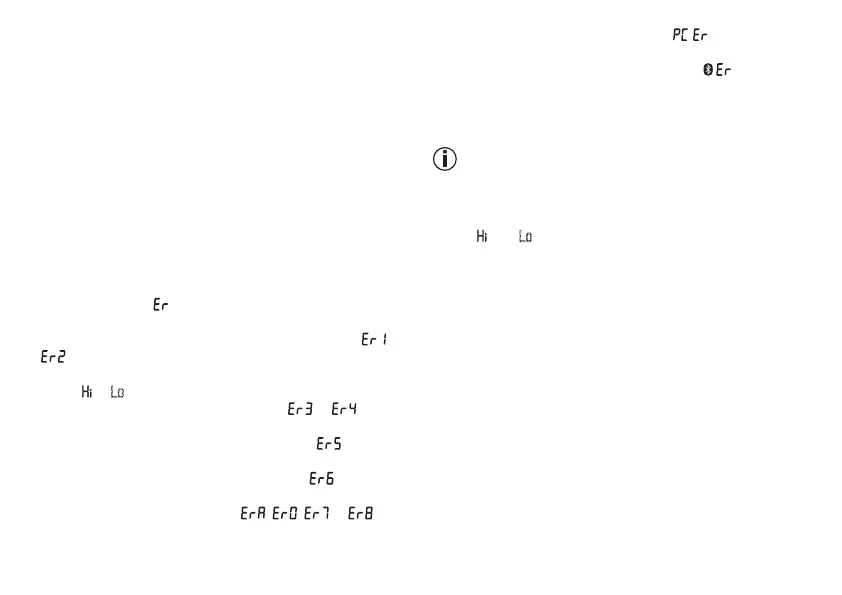
In case of faults, the _ message appears in the display.
Error messages may appear if:
•
systolic or diastolic pressure could not be measured ( or
appears on the display)
•
systolic or diastolic pressure was outside the measurement
range ( or Lo appears on the display)
•
the cuff is fastened too tightly or loosely ( or appears
on the display)
•
the pump pressure is higher than 300 mmHg ( appears
on the display)
•
pumping up takes longer than 160 seconds ( appears on
the display)
•
there is a system or device error ( , , or ap-
pears on the display)
•
the data could not be sent to the PC ( appears in the
display).
• the data could not be sent via Bluetooth
®
(
).
In such cases, repeat the measurement and/or the data trans-
fer. Ensure that the cuff line is correctly attached and that you
do not move or speak during the measurement.
Technical alarm – description
Should the recorded blood pressure (systolic or diastolic) lie
outside the limits specified in the section “Technical specifica-
tions”, the technical alarm will appear on the display indicating
either “
” or “ Lo ”. In such cases, you should seek medical as-
sistance and check the accuracy of your procedure.
The limit values for the technical alarm are factory set and can-
not be adjusted or deactivated. These alarm limit values are
accorded second priority under the standard IEC 60601-1-8.
The technical alarm is a non-locking alarm and must not be
reset. The signal shown on the display will disappear automati-
cally after about 8 seconds.


 To Next Page