33
User memory
Press the M1 memory button if you have selected user
memory 1.
P
ress the M2 memory button if you have selected user
memory 2.
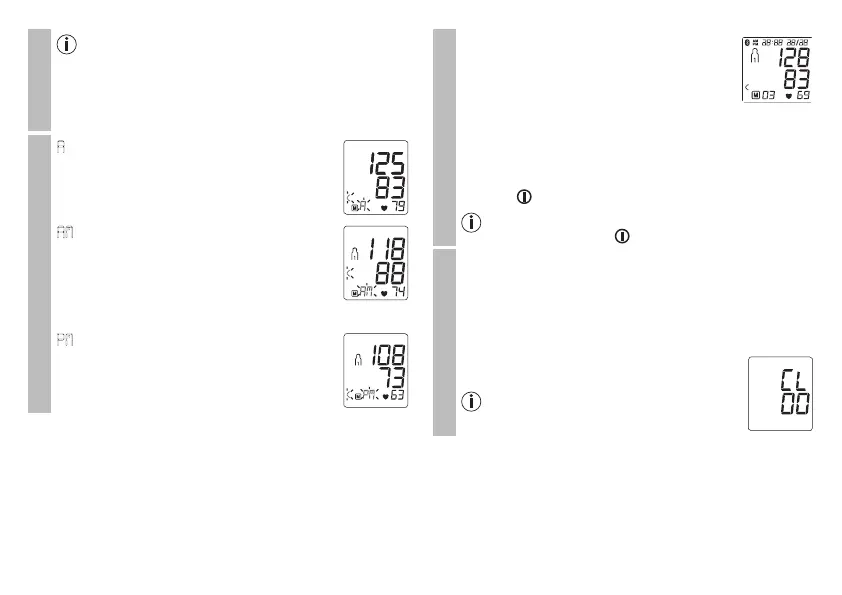
Average values
A
flashes on the display.
The average value of all saved measured va-
lues in this user memory is displayed.
AM
flashes on the display.
The average value of the morning measure-
ments for the last 7 days is displayed (mor-
ning: 5.00 a.m. – 9.00 a.m.).
•
Press the relevant memory button (M1 or M2).
PM
flashes on the display.
The average value of the evening measure-
ments for the last 7 days is displayed (eve-
ning: 6.00 p.m. – 8.00 p.m.).
Individual measured values
•
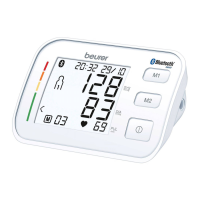
When the relevant memory button (M1 or
M2) is pressed again, the last individual
measurement is displayed (in this example,
measurement 03).
•
When the relevant memory button (M1 or M2) is
pressed again, you can view your individual measure-
ments.
•
To switch the device off again, press the START/STOP
button .
You can exit the menu at any time by pressing the
START/STOP button .
Deleting measured values
•
To clear the memory of the relevant user memory, you
must first select a user memory.
•
Start individual measurement access.
•
Press and hold the M1/M2 memory buttons for 5 sec-
onds.
All the values in the current user memory are
deleted.
It is not possible to delete individual
measurements.


 To Next Page