14
5� To Set Up
Before first use, remove the battery compartment cover and insert two “AAA” size batteries (included),
observing the correct polarity as indicated inside the compartment. Slide the battery compartment
cover back into place.
Setting the time and date:
1�
Press the
ON/OFF
Button to switch the device on.
Press and hold the
LIGHT/SET
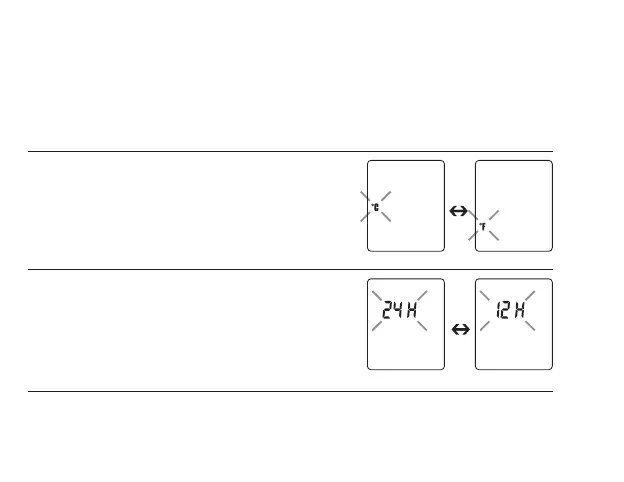
Button; the Celsius/
Fahrenheit scale indicator will appear on the LCD
Display.
2�
Press the
MODE/MEM
Button to select Celsius (° C)
or Fahrenheit (° F) as desired. Press the
LIGHT/SET
Button to save and continue. The time format will appear
on the LCD Display. Press the
MODE/MEM
button to
select 12 or 24-hour display format and then press the
LIGHT/SET
button to save and continue.


 To Next Page