
 To Next Page

T
Tabitha RodriguezJul 28, 2025
What to do if Beurer FT 95 batteries are low?
- JJacqueline PhillipsJul 28, 2025
If the batteries in your Beurer Thermometer are low or depleted, replace them.

What to do if Beurer FT 95 batteries are low?
If the batteries in your Beurer Thermometer are low or depleted, replace them.
Why does my Beurer Thermometer say ambient temperature is not within measurement range?
If your Beurer Thermometer displays this message, it means the surrounding temperature is outside of the device's operational range. To resolve this, place the thermometer in an environment where the temperature is between 59°F and 104°F (15°C - 40°C) and allow it to adjust for at least 30 minutes.
What to do if Beurer FT 95 Thermometer shows forehead temperature above 108 °F?
If your Beurer Thermometer indicates a forehead temperature exceeding 108°F (42.2°C) or a surface temperature above 176°F (80°C), it means you are using the device outside of its specified measurement range. Ensure that you only use the thermometer within its intended measurement range.
What to do if Beurer FT 95 Thermometer shows forehead temperature below 93.2° F?
If your Beurer Thermometer displays a forehead temperature below 93.2°F (34°C) or a surface temperature below 32°F (0°C), it indicates that you are using the thermometer outside of its measurement range. Make sure to use the thermometer only within its specified measurement range.
How to fix Beurer FT 95 Thermometer when autotest in progress?
If your Beurer Thermometer displays 'Autotest in progress, device not ready', wait for the forehead symbol to stop flashing.
Explains safety symbols, hazard levels, and their meanings.
General caution to reduce injury and property damage risks during product use.
Discusses electromagnetic compatibility and potential interference issues.
Provides guidelines for safe battery handling, installation, and disposal.
Describes what the thermometer measures and lists additional features.
Details normal temperature ranges for different body measurement locations.
Explains various factors that can affect body temperature readings.
Lists all items included in the product packaging for user verification.
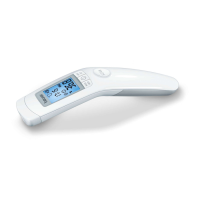
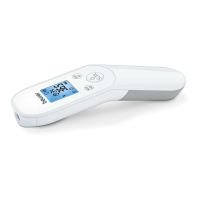
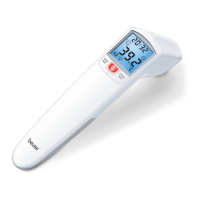
Identifies and describes the physical components and buttons of the thermometer.
Explains the various icons and indicators shown on the LCD display.
Guides the user through inserting batteries and initial device setup.
Guides the user through setting the device's time and date format.
Covers setting hour, minute, year, month, day, and various modes.
Details the procedure for measuring forehead temperature accurately.
Explains measurement display, fever indication, and device auto-shutoff.
Instructions for connecting to and using the Beurer HealthCoach mobile app.
How to access and review past temperature measurements stored on the device.
Instructions for measuring the temperature of objects or liquids.
Procedure for measuring the ambient room temperature.
Instructions for cleaning the sensor and device, and general maintenance.
Provides guidance on proper device and battery disposal according to regulations.
Lists common error messages and their corresponding solutions.
Provides detailed technical data, operating conditions, and dimensions.
Details compliance with FCC rules and regulations for the device.
Outlines the terms and conditions of the product's limited lifetime warranty.
 General
| Type | Remote sensing |
|---|---|
| Display | LCD |
| Certification | CE, EAC |
| Product color | Grey, White |
| Memory capacity | 60 entries |
| Memory function | Yes |
| Measurement modes | Body temperature, Surface temperature |
| Thermometer location | Forehead |
| Units of measurement | °C, °F |
| Maximum measurement distance | 3 cm |
| Minimum measurement distance | 2 cm |
| Body temperature measurement range | 34 - 42.2 °C |
| Mobile operating systems supported | Android, iOS |
| Body temperature measurement accuracy | 0.2 °C |
| Surface temperature measurement range | 0 - 80 °C |
| Battery type | AAA/LR03 |
| Battery voltage | 1.5 V |
| Auto power off time | 60 s |
| Number of batteries supported | 2 |
| Quantity per pack | 1 pc(s) |
 Weight and Dimensions
| Depth | 41.5 mm |
|---|---|
| Width | 167.4 mm |
| Height | 28 mm |
| Weight | 73.4 g |