8
EN
AVENTHO 300 — Wireless Over-Ear Headphones
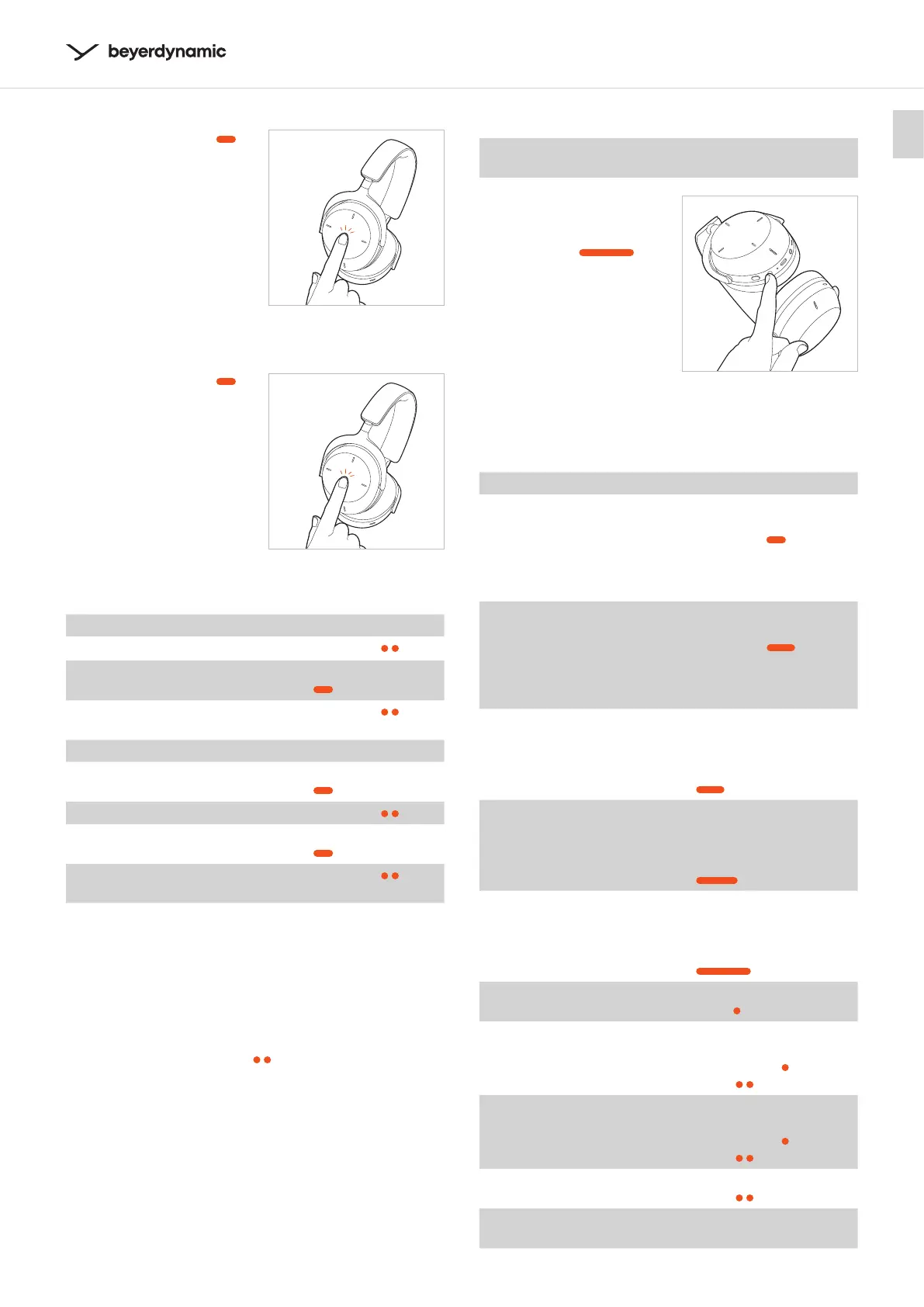
Reject call
� Tap and hold once ( )
to reject the incoming
call.
Switch between two callers
� Tap and hold once ( )
to switch between two
callers.
No call active Operation
Accept incoming call
� Tap twice (
)
Reject incoming call
� Tap and hold once
(
)
End active call
� Tap twice (
)
Call already active Operation
Accept second incoming call
and hold active call
� Tap and hold once
(
)
Reject second incoming call
� Tap twice (
)
Switch between two calls
� Tap and hold once
(
)
End active call and switch to
held call
� Tap twice (
)
Activate / deactivate voice prompts
Switch on the AVENTHO 300. Then carry out the following
eps within two seconds:
� Press and hold the on/o button.
� Tap the touch pad twice (
).
� Release the on/o button.
Reset to factory settings
When resetting to factory settings, all personal data is
deleted!
� Press and hold the on/o
button of the switched-o
AVENTHO 300 for approx.
20 seconds (
)
until the atus LED
flashes yellow.
Overview of the operating functions
If not ated otherwise, the functions lied apply to a
switched-on headphone.
Function Operation on headphone
Switch on
(the function is only
available if AVENTHO 300
has already been paired
or is being used with the
USB or jack cable)
� Press and hold the on/
o button for approx.
2 seconds (
).
Switch o
(the function is only
available if AVENTHO 300
has already been paired
or is being used with the
USB or jack cable)
� Press and hold the on/
o button for approx.
6 seconds (
).
Pairing mode
� Switch o the head-
phone and press and
hold the on/o button
for approx. 6 seconds
( ).
Delete pairing li
� Switch o the head-
phone and press and
hold the on/o button
for approx. 8 seconds
(
).
Reoring the factory
settings
� Switch o the head-
phone and press and
hold the on/o button
for approx. 20 seconds
(
).
Check battery atus
� Press the on/o button
once (
).
Activate the transparency
mode
� Depending on the
mode, press the ANC
button once (
) or
twice (
).
Activate the ANC mode
� Depending on the
mode, press the ANC
button once (
) or
twice (
).
Sta / pause
� Tap the touch pad
twice (
).
Increase volume
� Swipe upwards on the
touch pad.



 To Next Page