17/22Operation
Making a call
FUNCTION NO CALL ACTIVE OPERATION
Accept incoming call ► tap once ( )
Reject incoming call ► tap and hold once
(
)
End active call ► tap and hold once
( )
FUNCTION CALL ACTIVE OPERATION
Accept incoming call and hold active call ► tap once (
)
Reject second incoming call ► tap and hold once
( )
Switch between two calls ► tap once (
)
End active call and switch to held call ► tap and hold once
(
)
Resetting to factory settings
All personal data is deleted if the device is reset to the factory settings!
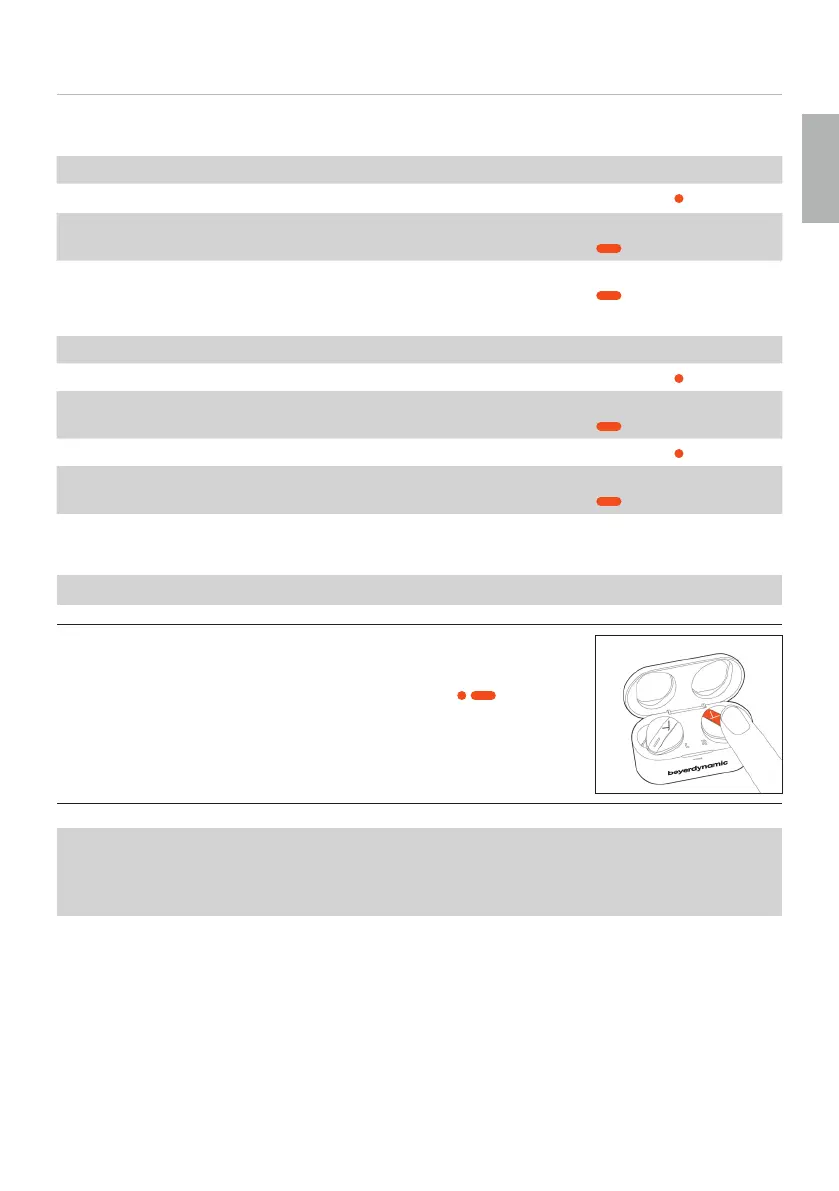
To reset to factory settings:
► While the earphones are in the charging case, tap the le
or right Touch twice and hold the second time (
, > 10 s)
until the LEDs flash red three times.
Peer Pairing
To pair new earphones (e.g. when replacing defective or lo earphones), both sets of
earphones mu be reset to factory settings so that they can connect.
During peer pairing, the LEDs on the earphones flash rapidly blue.
English













 To Next Page