Lagoon ANC – Bluetooth Headphones
8
Media playback
Please note that the functions described in the following, depend on the player and the player
soware and may not be available. The headphones only transmit control signals that comply with
the Bluetooth andard.
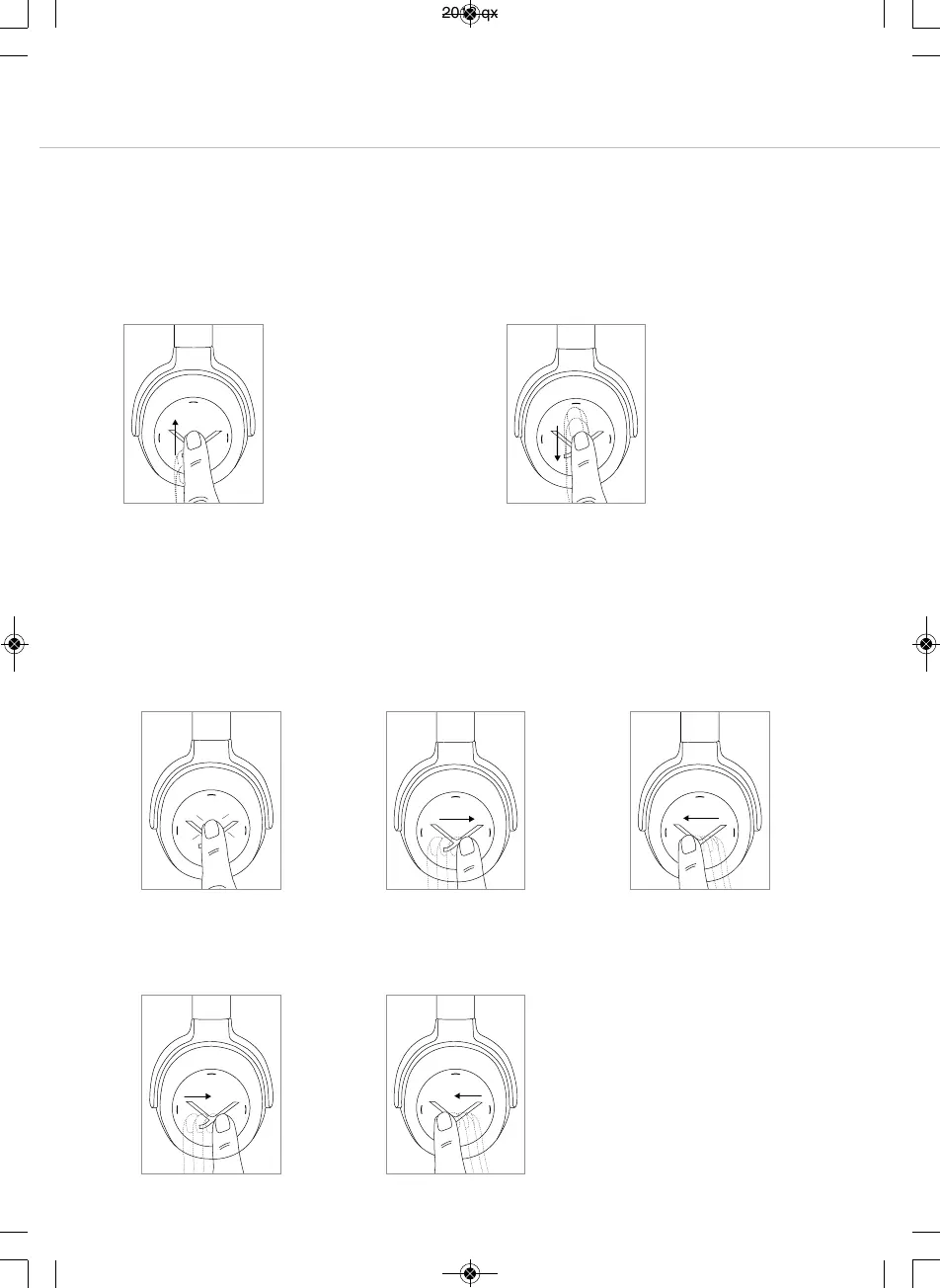
Impoant: To avoid malfunction, use only one finger when you use the touch pad.
• Sta / Stop:
Briefly tap the touch pad
twice.
• Play next track:
Drag your finger forwards on
the touch pad.
• Play previous track:
Drag your finger backwards
on the touch pad.
2 x
• Fa forward:
Drag your finger forwards on
the touch pad and hold it for
at lea 1 second.
• Rewind:
Drag your finger backwards
on the touch pad and hold it
for at lea 1 second.
Hold
Hold
How to set the volume
• Increase volume
Drag your finger upwards on the touch pad.
W
hen you drag your finger upwards and hold
i
t, the volume is gradually increased until the
maximum is achieved.
An acouic signal indicates the achieved
maximum.
• Reduce volume
Drag your finger downwards on the touch pad.
W
hen you drag your finger downwards and
h
old it, the volume is gradually reduced until
the minimum is achieved.
An acouic signal indicates the achieved
minimum.
MAN_Lagoon-ANC-QSG_EN-DE-KO-RU_November_2018.qxp 19.11.18 09:21 Seite 8



 To Next Page