Quick Start Guide Quinta – Control Unit
22
Connections
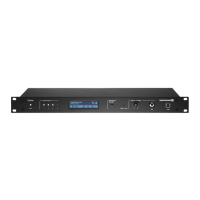
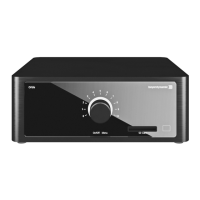
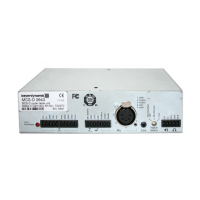
• If required, connect the Audio Mix , XLR or Cinch master output of the Quinta CU control
unit to the input of a mixing console or amplifier.
• Connect the Quinta CU control unit to the mains . The internal power supply unit of the control
unit can automatically adjust between 100 and 240 V at 50 - 60 Hz. Verify that the voltage rating
of the unit matches that of the AC mains outlet you are to use. If you connect the unit to the wrong
voltage, you may seriously damage it. Always route cables running to the unit where they will not
be pinched or cut by heavy or sharp objects.
• For using the AVB network connection, please refer to the extensive “Quinta Conference System”
manual.
How to operate the control unit
• Turn on the Quinta CU control unit with the On/Off switch . The Power on LED will illuminate.
The channel LED 1 to 4 will illuminate white to indicate the availability.
• Conference mode: As soon as a microphone is activated, the channel LED will illuminate red to
indicate that the channel is occupied.
• Microphone mode: As soon as there is an active radio connection between the microphone and
control unit (no matter if the microphone is open or muted) the appropriate channel display will
illuminate red to indicate that the channel is occupied. In the microphone mode a maximum of four
microphones can be operated with one control unit. If all four radio channels are occupied and
more microphones are activated, these microphones that are too many will automatically be
deactivated right away.
• At the factory the RF bands 2.4; 5.2 or 5.8 GHz* will be activated (Automatic Mode). This means
that the Quinta CU control unit will select a free frequency and if necessary it will select a different
free frequency without any interferences. This operating mode is recommended for normal use.
The free frequencies for the Quinta CU control unit can be deactivated via the Quinta software. The
devices (Quinta MU, Quinta TB and Quinta TH) will automatically be adjusted and without any
interruption to the frequency of the Quinta CU control unit. Please refer also to the “Quinta
Conference System” manual.
*Note:
The availability of the RF bands 2.4; 5.2 or 5.8 GHz depends on the selected region.
2.2.2 Quinta RS Control Unit
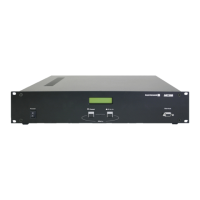
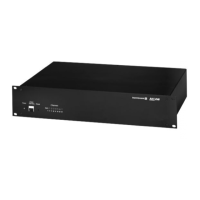
In conjunction with the Quinta TB boundary microphone the Quinta RS control unit is used for
video conferencing and/or small meetings. You can also use the Quinta RS control unit with the
Quinta MU microphone units or the Quinta TH handheld transmitter. With one Quinta RS control
unit you can operate a maximum of four microphones in the microphone mode.
The installation and operation is equal to the Quinta CU control unit. The Quinta RS control unit
has no display and can also be managed via the Quinta Software.
Delivery state: Microphone mode
Important: In the conference mode you can operate a maximum of 20 microphone units with the
Quinta RS. Furthermore, please note that the Quinta RS control unit does not provide any voting
function. Therefore, the Quinta RS control unit should not be used with the Quinta MU 23 V and
21 V microphone units if voting functions are required.
Where to place the control unit
• If you do not use remote antennae, place the Quinta CU control unit in the room where the
meeting takes place. If you use remote antennae, place the antennae in the conference room.
• Avoid shadowing effect of the antennae, especially by metallic surfaces.




 To Next Page