Quinta – Microphone Units
20
3.7 Maintenance of the Microphone Units
• For cleaning the Quinta MU microphone units when they are slightly dirty (finger prints, dust, jam or juice) use a soft, damp cloth, sponge
or brush and mild liquid cleaning agent (e.g. washing-up liquid). Do not use any solvent containing cleaners.
• Make sure not to allow any water to enter the microphone capsule or housing.
• Clean the charging contacts with spirit or isopropyl alcohol from time to time. While cleaning avoid contact with the painted surface.
• Clean the pop shield of the gooseneck microphone for Quinta MU 21/22/23 with clear, warm water. Make sure that it is completely dry be-
fore you put it on the microphone again.
4. Programmable Functions of the Microphone Units with the Quinta Conference Software
The functions of the microphone units described in the following are only available, when they have been programmed with the Quinta
Conference software before. Please refer to the “Quinta Conference Software” manual.
4.1 Security Code
By using the Quinta Conference software you can enter an alphanumerical code for the Quinta MU microphone units and the Quinta CU
control unit within one system. This will increase the safety against unauthorised listening. Microphone units, which do not have this code are
not recognised by the control unit and will be deactivated.
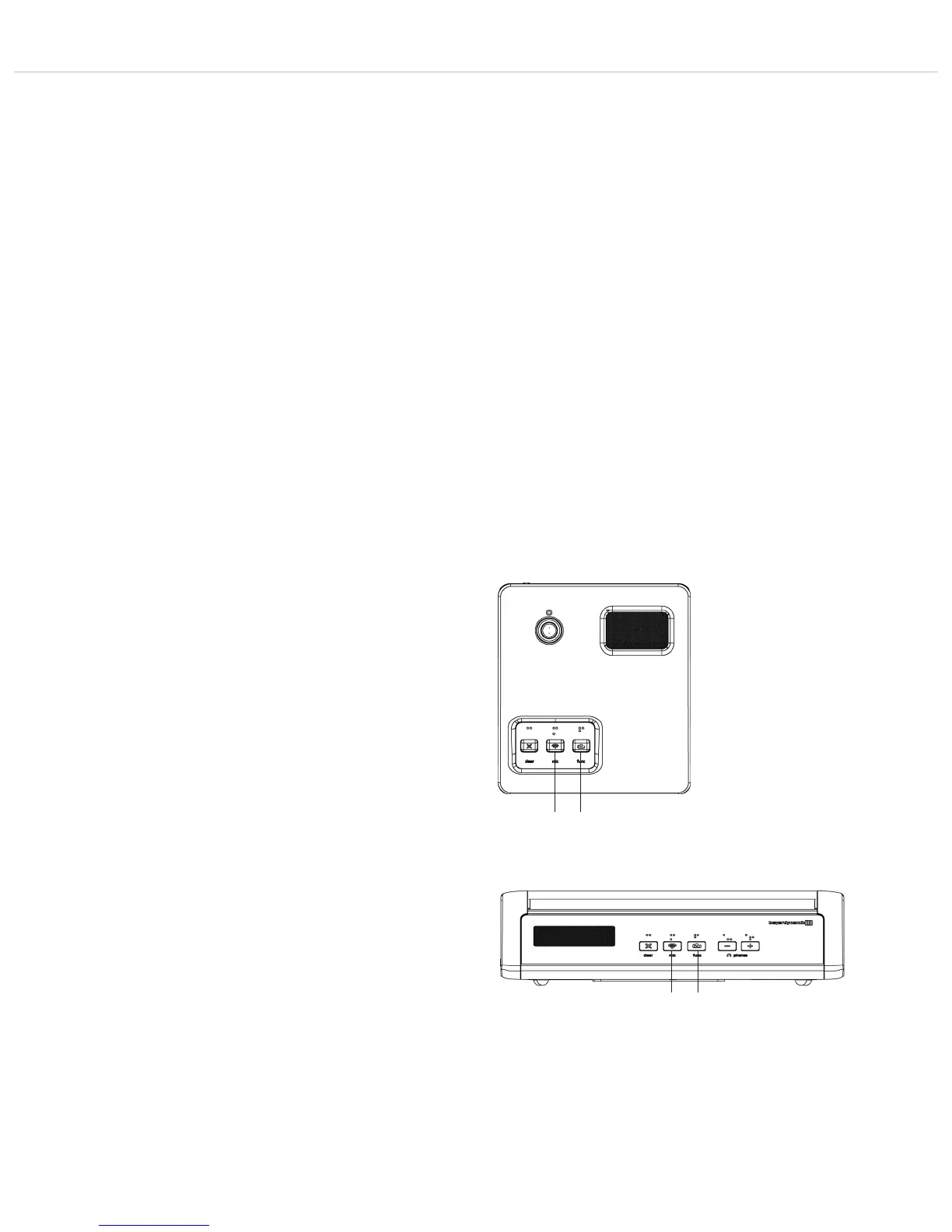
Depending on the configuration the following functions are possible
with the function button !: mute, clear or priority. The function
button can be configured via the control unit with the Quinta
Conference software.
1. Normal
All active delegate microphone units will be cleared and the
microphone of the chairman unit will be switched on. The
delegates can switch on their microphones again, when the
chairman switches off his microphone.
2. Mute
All active delegate microphone units will be muted when the
chairman is speaking and will be reactivated when the chair-
man switches off his microphone.
3. Clear
All active delegate microphone units are cleared an can be
switched on afterwards.
4. How to Mute Audio IN ports
First push mutes the port, the next one enables it, third one
mutes again etc.
If the chairman presses the function button, the audio input of
the Quinta CU control unit will be muted. The function button !
illuminates red.
4.2 Programmable Function Button of the Chairman Microphone Unit
!
Quinta MU 23
Quinta MU 33
!












 To Next Page