Quinta – Control Unit
9
2.9 Main Menu
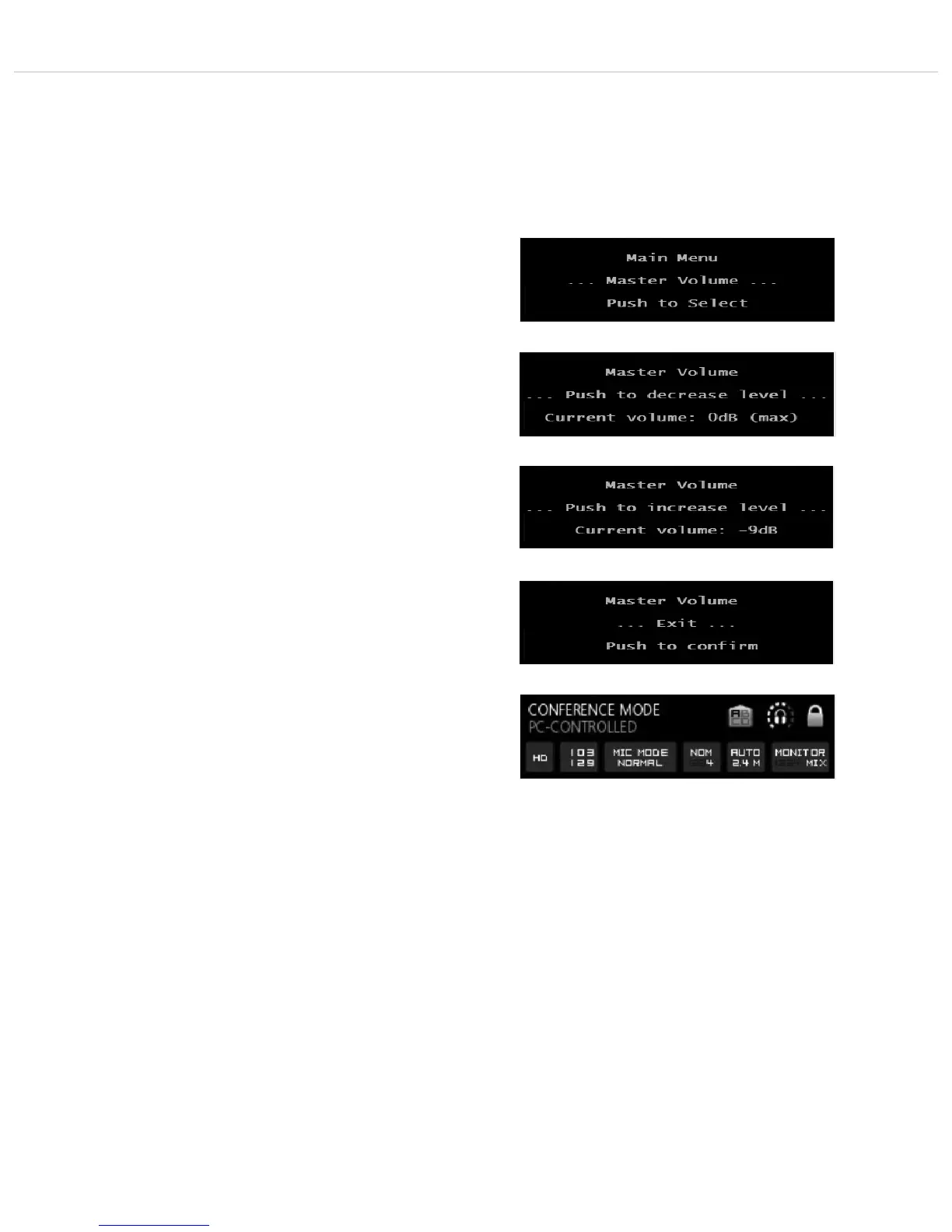
Press the volume control approx. 3 seconds until the Quinta CU
control unit displays “Main Menu”.
By turning and pressing you can display and set different parameters
in the main menu.
2.9.1 Master Volume
• Press the volume control approx. 3 seconds until the Quinta CU
control unit displays “Main Menu”.
• Turn the volume control to the right or left until “Master
Volume” is displayed.
• Press the volume control to enter the submenu “Push to
decrease level”.
• Press the volume control , if you want to reduce the volume.
• If you want to increase the system volume, turn the volume
control clockwise to enter the submenu “Push to increase
level”.
• Press the volume control to increase the volume. The maxi-
mum setting is 0 dB.
• After setting the parameter, turn the volume control clockwise
until the submenu “Master Volume” - “Exit” ist displayed.
Press the volume control to leave the menu item “Master
Volume”.
• The default screen is displayed.












 To Next Page