Quinta – Control Unit
13
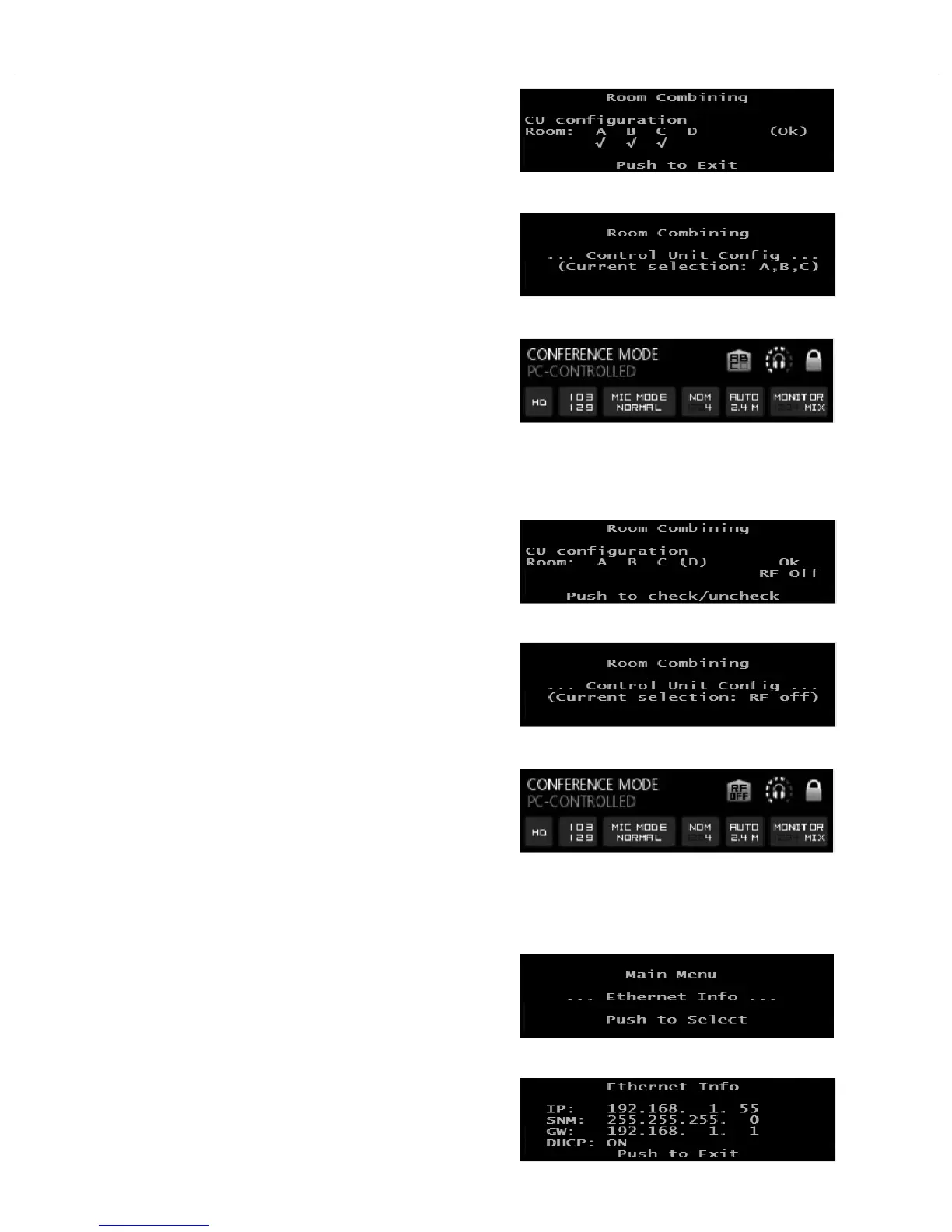
How to deactivate the radio module of the control unit
• If the radio module of the control unit is to be deactivated so that
there is no radio link between microphone units and control unit,
remove all ticks in the menu “Room Combining - CU Configuration”.
• When you enter the “Room Combining” menu item, the line
“Current selection: RF off” is displayed.
• The default screen also displays “RF off”.
2.9.3 Ethernet Info
• Press the volume control approx. 3 seconds until the Quinta CU
control unit displays “Main Menu”.
• Turn the volume control to the right or left until “Ethernet
Info” is displayed.
• Press the volume control to enter the submenu.
• In the display you can now read all information of the Ethernet
connection.
• Press the volume control to leave the menu.
• The default screen is displayed.
• In order to confirm with “OK” turn the volume control clock-
wise until “(OK)” is displayed. Press the volume control to
confirm and leave the menu.
• The default screen is displayed.
• When you now enter the “Room Combining” menu item, the
line “Current selection: A, B, C” is displayed.
• The default screen also displays A, B, C.












 To Next Page