Quinta – Control Unit
16
2.9.5 RF-Analyzer
• Press the volume control approx. 3 seconds until the Quinta CU
control unit displays “Main Menu”.
• Turn the volume control to the right or left until “RF-Analyzer”
is displayed.
• Press the volume control to enter the submenu.
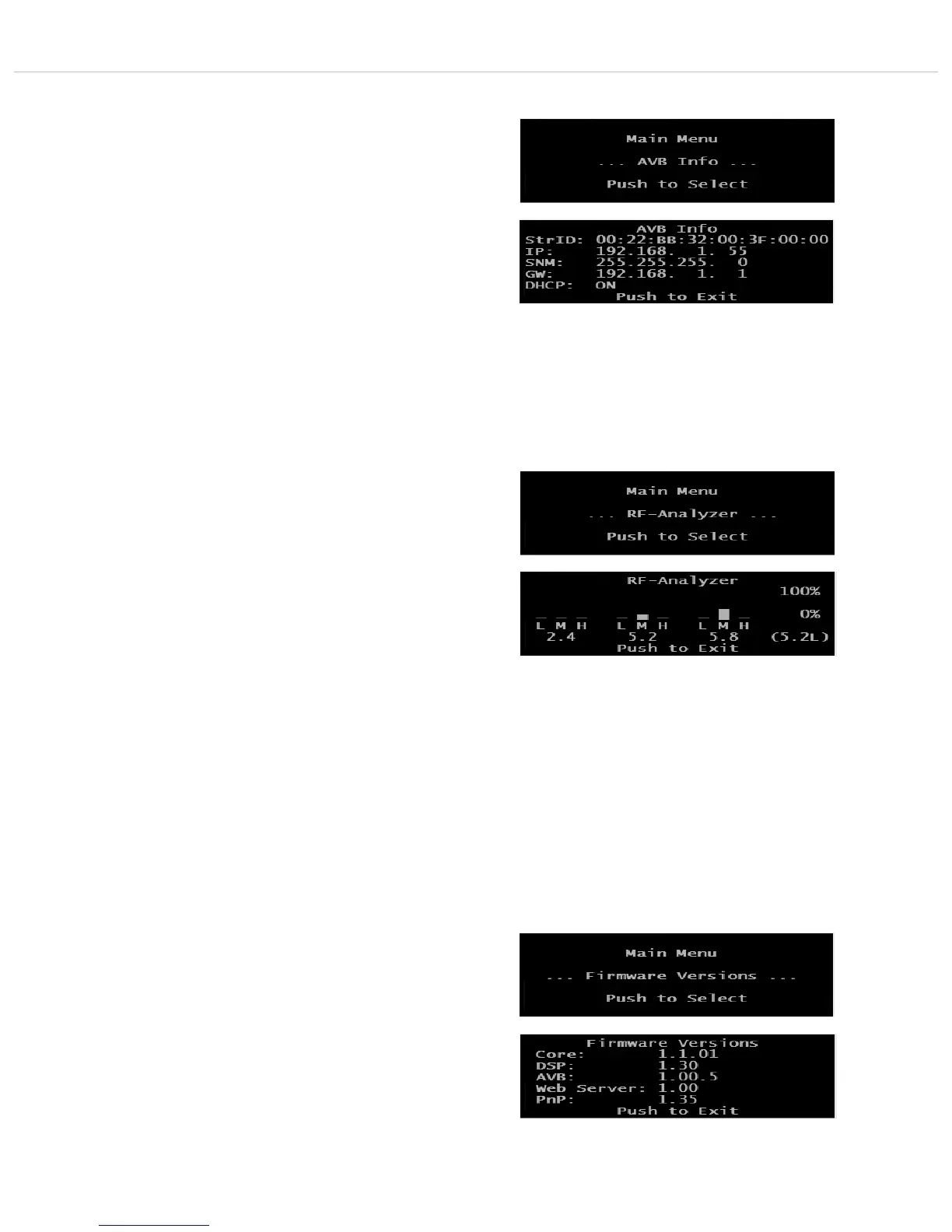
• The “RF Anlayzer” displays how much the frequency range is
already used by other devices that use the same frequencies
(e.g. other Quinta systems, WiFi, etc.) With “RF-Analyzer” you
can find out which frequency band is most suitable.
• To interpret the displayed values correctly, a detailed knowledge
about other wireless technologies is required. A WiFi network,
for example, is only displayed with higher values when data
traffic is actually used. It is not displayed of which type of
wireless technology the devices are that show values. The bars
are an indicator that indicate the current wireless energy / time
on the specific frequencies.
• Press the volume control to leave the menu.
• The default screen is displayed.
2.9.6 Firmware Versions
• Press the volume control approx. 3 seconds until the Quinta CU
control unit displays “Main Menu”.
• Turn the volume control to the right or left until “Firmware
Versions” is displayed.
• Press the volume control to enter the submenu.
• The firmware versions of Core, DSP, AVB, Web Server and PnP
are displayed.
• Press the volume control to leave the menu.
• The default screen is displayed.
2.9.4 AVB Info
• Press the volume control approx. 3 seconds until the Quinta CU
control unit displays “Main Menu”.
• Turn the volume control to the right or left until “AVB Info” is
displayed.
• Press the volume control to enter the submenu.
• In the display you can now read all information of the AVB
connection.
• Press the volume control to leave the menu.
• The default screen is displayed.













 To Next Page