5
HTE402559 14/47
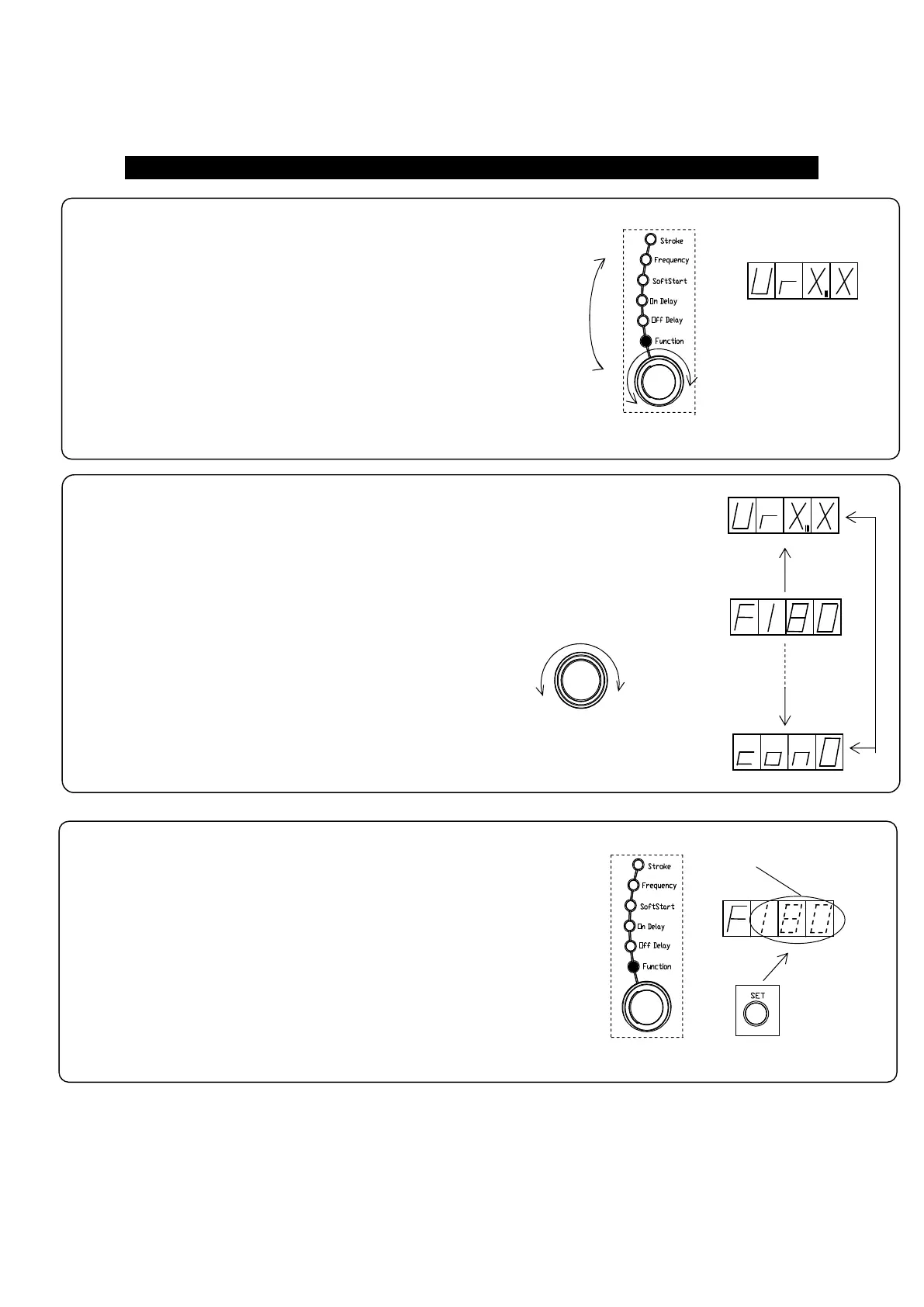
3. Push “Set” button to change the mode from
“Indication” to “Adjust”.
Blinkin
Alteration enable
Push button
2. Dial the setting encoder up to appear code “F”,
Output Frequency Range, on the display.
How to adjust the Drive Frequency Output Range
Setting Encoder
Dial
1. Dial the selection dial and select the “Function” turning “Function” lamp on.
Function data appears.
Selection Dial
Dial
Turning on



 To Next Page