OK
Press the OK key
BFT
venere d
0000
0000
00
OK
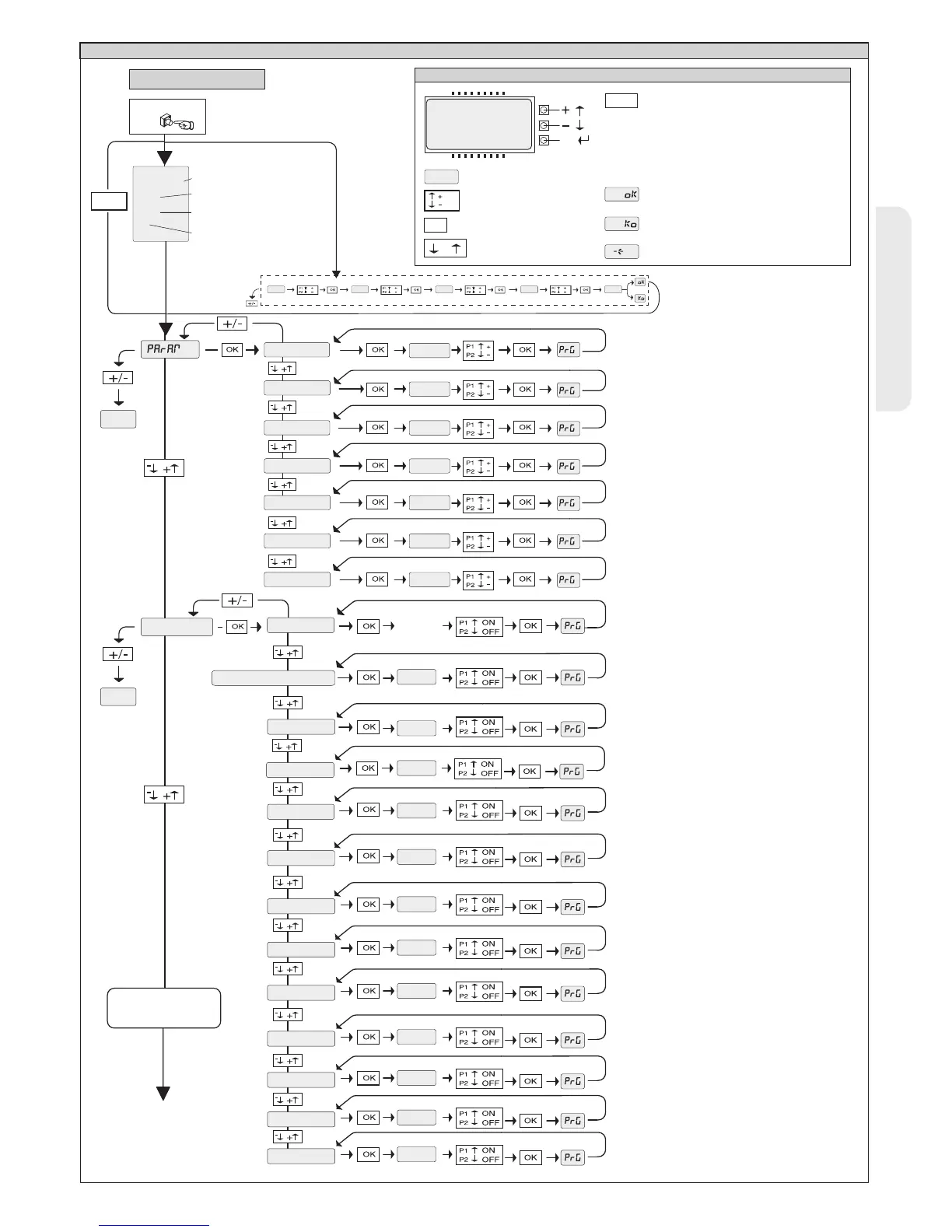
ACCESS TO MENUS
Control unit software version
No. total manoeuvres
(x 10)
No. manoeuvres since latest
maintenance(x 10)
No. radio control devices
memorised
Fig. A
LEGENDA
[ 00 ]
Parameter increment/reduction
or ON/OFF commutation
Menu scrolling
(+ = preceding - = following)
Press OK key (Enter/confirm)
OK! message (confirms modification made)
PRG
OK
+/-
-
+
/ON
/OFF
KO! message (value or function error)
PRG
“Wait” message (enter value or function)
Simultaneously press the + and - keys.
Simultaneous pressure of the + and – keys
allows you to exit the active menu and return
to the preceding menu; if this takes place at
the main menu level, programming is exited
and the display switched off.
The modifications made are only confirmed if
the OK key is subsequently pressed.
Preset value
OK
8888
End
LOGIC.
FOLLOWING MENUS
FIG. B
dist.sloud
part.open
op.force
cls.force
op speed
cl speed
tca
step-by-step movemnt
pre-alarm
ibl open
safe1
aux3
fixed code
prot.lev
serial mode
address
ic1
ic 2
tca
End
0---
10--
150- 1520 ok
(007)
(040)
(010)
(075)
(075)
(099)
(099)
(000)
(000)
(000)
(000)
(000)
(000)
(000)
(000)
(000)
(000)
(004)
sw mov
(001)
***
*** Password entry.
Request with Protection Level logic
set to 1, 2, 3, 4


 To Next Page