EN
51
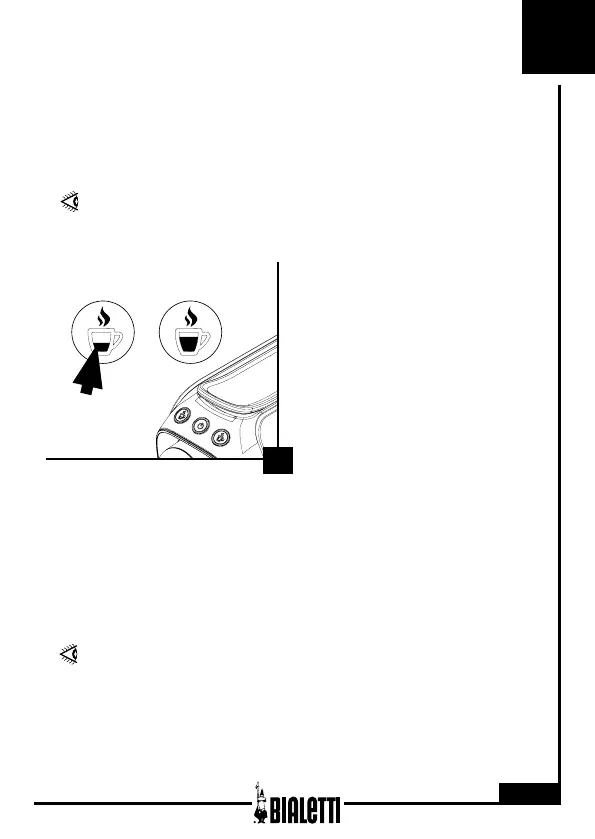
7. Setting dispensing quantity
11
This type of espresso coee machine allows to modify the quantity of
coee dispensed.
When the machine is ready for
use, press the espresso coee
push button (5) for more than 3
seconds to start coee dispensing.
Once having reached the required
volume, press the espresso coee
push button (5) again to stop
dispensing.
The dispensing time is saved for
the espresso coee push button
(5).
SETTING ESPRESSO COFFEE DISPENSING QUANTITY
DURING THIS STAGE, THERE MUST BE AN ALUMINIUM
CAPSULE INSIDE THE MACHINE.
RESETTING THE DEFAULT SETTINGS
To reset the default settings, keep pressed the On/O push button (4)
and the espresso coee push button (5) for 3 secs at the same time.
The two lights of the pouring push buttons will blink in green/red for 3
seconds to conrm reset.
THE DISPENSING VOLUME THAT CAN BE SET FOR THE
ESPRESSO COFFEE RANGES APPROX.LY FROM 15 ML
TO 250 ML.


 To Next Page