page 2 Installation Guide PMA 2000-DM
PREPARATION
Remove the bar from either the table stand (1) or the wall
plate (2) before attaching to the PMA kit. Reserve the
M3 screws to attach the bar to the crossbar in the last
installation step of any configuration.
PMA 2000-DM KIT FLEXIBILITY
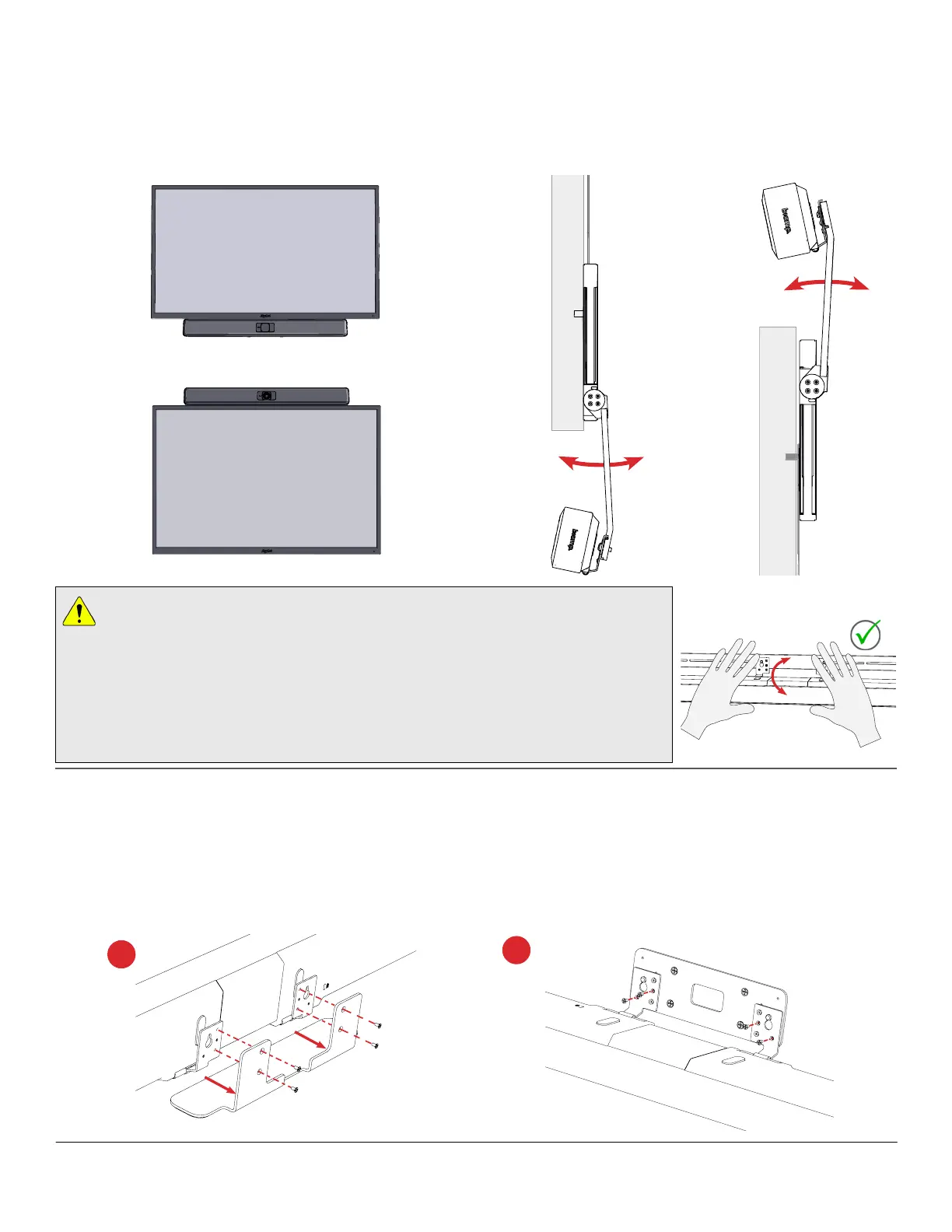
This kit was designed to be configured in a number of
ways to mount a Parlé 2000-level bar above or below a
VESA-mounted TV or video display.
Remove Table Stand
Remove from Wall Plate
1
2
OR
Once the bar is connected to the crossbar, it can
be moved forward or back to better align with the
TV, or with the VBC models, provide increased
camera visibility.
Bar Adjustment Considerations
• To rotate the bar up or down, hold the bar on each side of the plastic lens and
apply equal rotational force with both hands.
• Don't twist the bar from the ends, rotate the bar beyond the mechanical stops or
move it side-to side while adjusting the angle.
• When extending the bar on the display mount, move it up or down slowly,
especially near its maximum extension.



 To Next Page