page 4 Installation Guide PMA 2000-DM
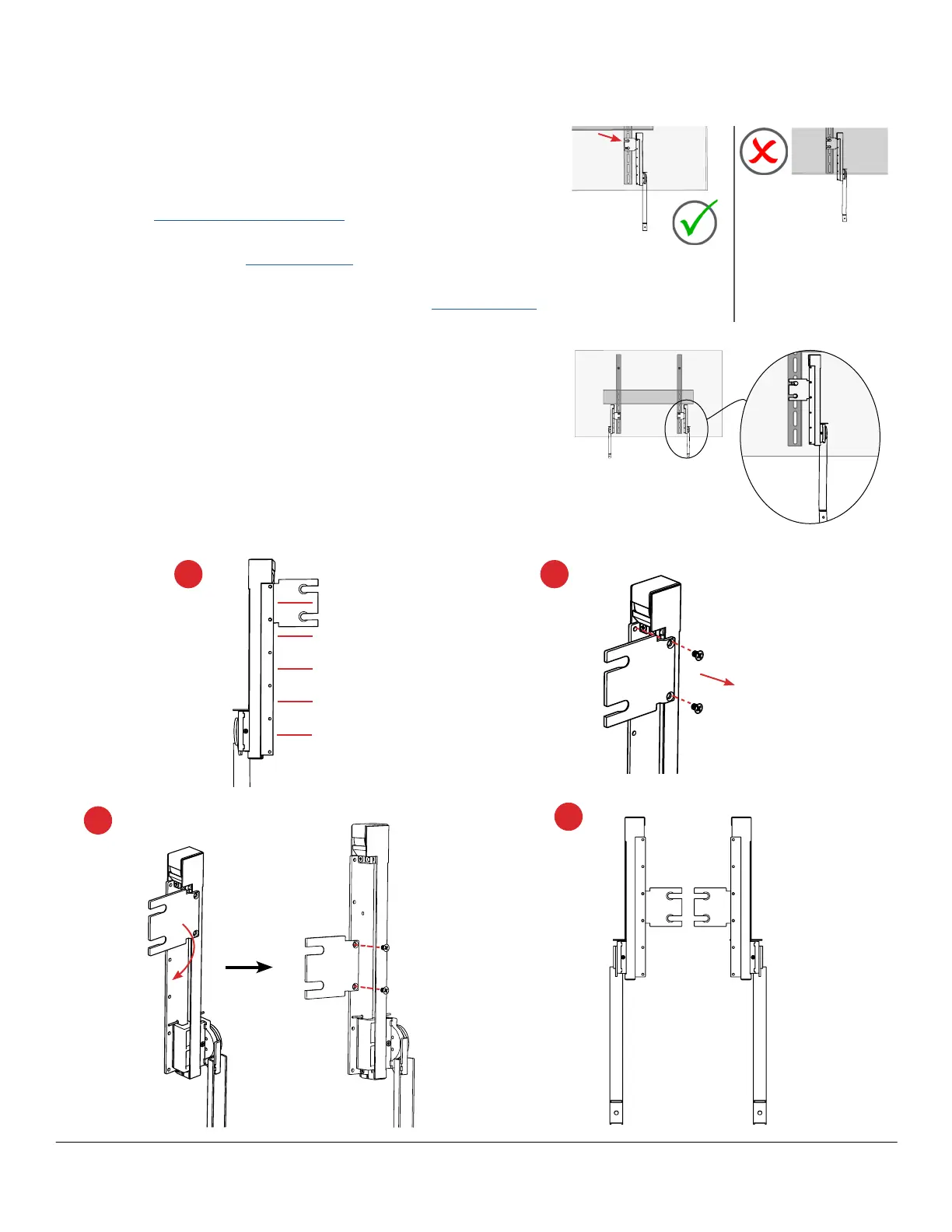
CONFIGURATION 1 (Bar below the TV using the TV/VESA attachment)
Bracket moved down 1 position to use
top notch (recommended), Spring Arm
is fully behind TV with Traveler Arm
extended for bar attachment.
Change Bracket Position on Spring Arm
There are 5 positions for the bracket.
1. Determine the best position for the bracket to ensure the Spring
Arm is behind the TV.
2. From the back of the Spring Arm, unscrew the bracket, reserving
the screws for reattachment.
3. Reposition the bracket, and reattach. Fully tighten connections.
4. Repeat for the other arm. Both brackets must be at the same
position on the Spring Arms.
Hold one Spring Arm behind the TV with the bracket level with the VESA
attachment to the TV, aligning the upper slot with that VESA attachment
screw. The Spring Arm should extend almost to, but not past the lower
edge of the display, and the Traveler Arm should extend at least 102 mm
(4") past that edge to allow for bar attachment.
• If the Spring Arm extends past the lower edge of the TV, continue
below to change the bracket position.
• If the Spring Arm is behind the TV and the Traveler Arm extends
the minimum amount, attach the arms to the TV.
• If the Spring Arm is behind the display and the Traveler Arm DOES
NOT extend the minimum amount, use mounting Configuration 3.
Default bracket position,
Spring Arm behind TV with
enough extension for bar
attachment
Default bracket position,
arm attachment doesn't
hide Spring Arm behind
TV and allow bar to be
flush with the TV
2
3
4
1



 To Next Page