Mic LED behavior - Launch
When TesiraFORTÉ X is auto-configured, the Parle mic LEDs will illuminate in green when idle or when audio streaming
is detected, and be solid red when mute is engaged.
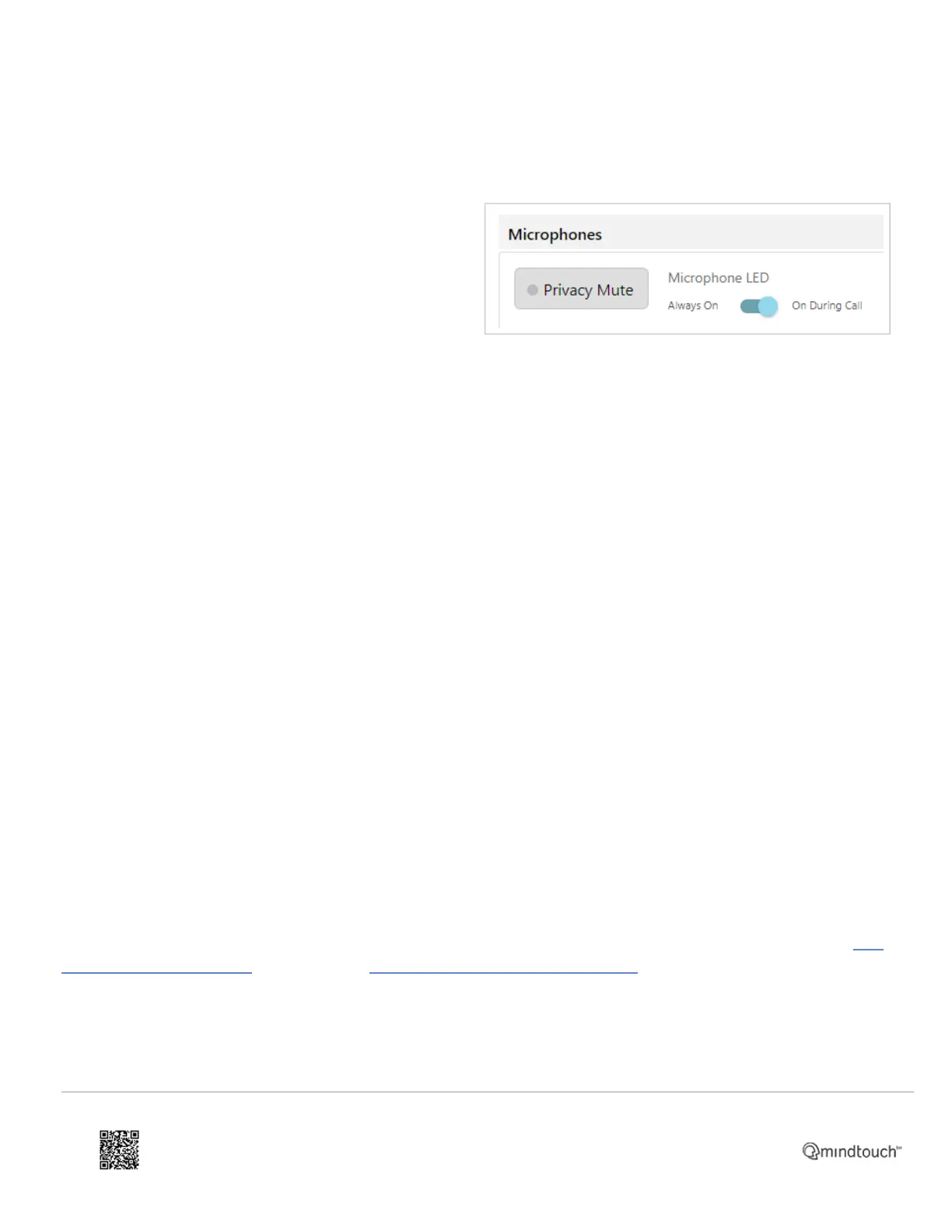
In firmware 4.2 and later a new Microphone LED toggle
has been added.
• Always on = LED always green unless muted, red
when muted.
• On During Call = LED off when idle, green while
joined to a meeting and streaming, and red when
muted.
When Teams is selected as the preferred UC vendor, the "On During Call" option is automatically engaged.
The "On During Call" option can be manually selected for other vendors on the Audio webpage when Launch
configured. The setting will persist through subsequent Launch cycles.
USB block and Mic LED behavior - manual configuration
When TesiraFORTÉ X is manually-configured the USB X blocks are visible in Tesira software. Both the USB input and
USB output blocks support logic connections which are unique to the input or output USB path. To link mic LED
behavior to USB mute state a logic link must be used to join the blocks.
The USB block logic input node is labeled M (mute) and engages the USB block mute when logic is high.
The USB block logic output nodes are labeled C (Connected state), S (Streaming activity), M (Mute state), and H (Hook
Switch). The C node will go high when a USB connection to a PC is detected, the S node will go high when audio is
streaming to or from the PC, the M node will go high when the USB input or output is muted. The USB output mute state
will sync with the mute state of many UC room clients using HID. The H node will go high when joining a meeting if the
UC platform utilizes the USB Hook Switch HID command. This can be thought of similar to going off/on hook with a
telephone. In most cases this can provide more accurate call state feedback as opposed to using the S (Streaming
Activity) output node.
The Parle mic block has 2 LED logic options, set in the Parle mic Properties.
The default behavior of "None, LEDs always follow device Mute status" is the same as the "Always On" option. Mic
LEDs will be green at idle or when in a call, and red when mute is engaged.
The 2nd option is "Logic Inputs control LEDs". When selected, a logic link must be used to join to blocks to link mic LED
behavior to USB mute state. See the article "Parle-series microphone tips and tricks" for a guide.
https://support.biamp.com/Tesira/Miscellaneous/TesiraFORTE_X
Updated: Thu, 01 Dec 2022 17:48:44 GMT
Powered by
10


 To Next Page