ENGLISH/イギリス語/英语
JOYSTICK & TRIGGER CALIBRATION
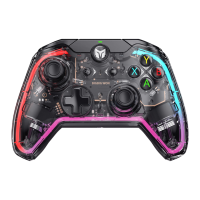
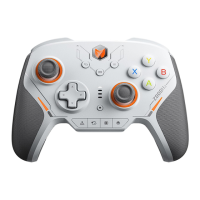
a. Long press SELECT + START for 3s at the same time and the four indicators inside the
controller turn on.
b. Push the joystick to the limit and rotate it at a constant speed, repeat 3-5 times.
c. Press the LT/RT button to the limit and release, repeat 3-5 times.
RESPONSIVE GLOBAL GYRO
a. First long press the response button (LT/LB/RT/RB/M1/M2/M3/M4) you want to set, then
press and hold the right joystick R3 button + FN button to turn on the responsive global
gyro (in this mode, the global gyro function can only be turned on when you press response
button you want to set, and the mode indicator light will turn into purple ).
b. Repeat the step till the indicator went off above to turn it off.
When setting (LT/LB/RT/RB) into the responsive button, please pay attention to its native
function.
If you want to remove the function of the button itself, and only use it as a somatosensory
response switch, please set the button as blank function in BIGBIG WON APP
( M1/M2/M3/M4 ).
GYRO CALIBRATION
a. Place the controller on the desktop horizontally and long press the FN + Capture button at
the same time, until the Function indicator turn on and breath in orange to show it has
entered the automatic calibration state.
b. Do not move or use the controller during calibration which will last about 3-5 seconds.
c. The Function indicator double flash and then go out to show the calibration is successful,
indicator lights go out directly, it means that the calibration has failed and you need to
re-calibrate according to the above steps.


 To Next Page