www.bigstone-nj.com
Address:NO.38 Ningliu Road, Pukou District, Nanjing City, China
Tel:025-89618445
Fax:025 – 58849541
Email: bigstone.ebike@gmail.com
page 12
13
、
AUTO SLEEP AFTER 5 MINUTES
When the riding speed is less than 2 km/h for 5 minutes, the system will
go to sleep automatically.
INSTALLATION INSTRUCTION
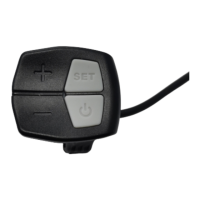
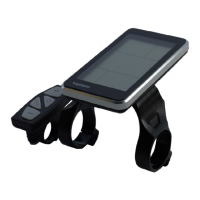
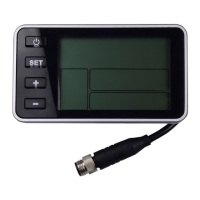
The instrument is fixed on the handlebar, adjust the appropriate
perspective, and the button is arranged on the easy control position. In the
case of power failure the e-bike, the corresponding connector and
connector controller instrument for inserting installation can be
completed. Attentions! Install the instrument from right to left and avoid
stretching buckle over angle.
Step1: Make the snap ring buckle into the handlebar in direction of
the arrow.
Step2: make the instrument slip insert the snap ring from right to
left.
Step3: Adjust the direction and tighten the low screw after
installation.
COMMON PROBLEM & SOLUTIONS
Q:Why the display is not able to start up?
A:Checking the connector that between display and controller.



 To Next Page