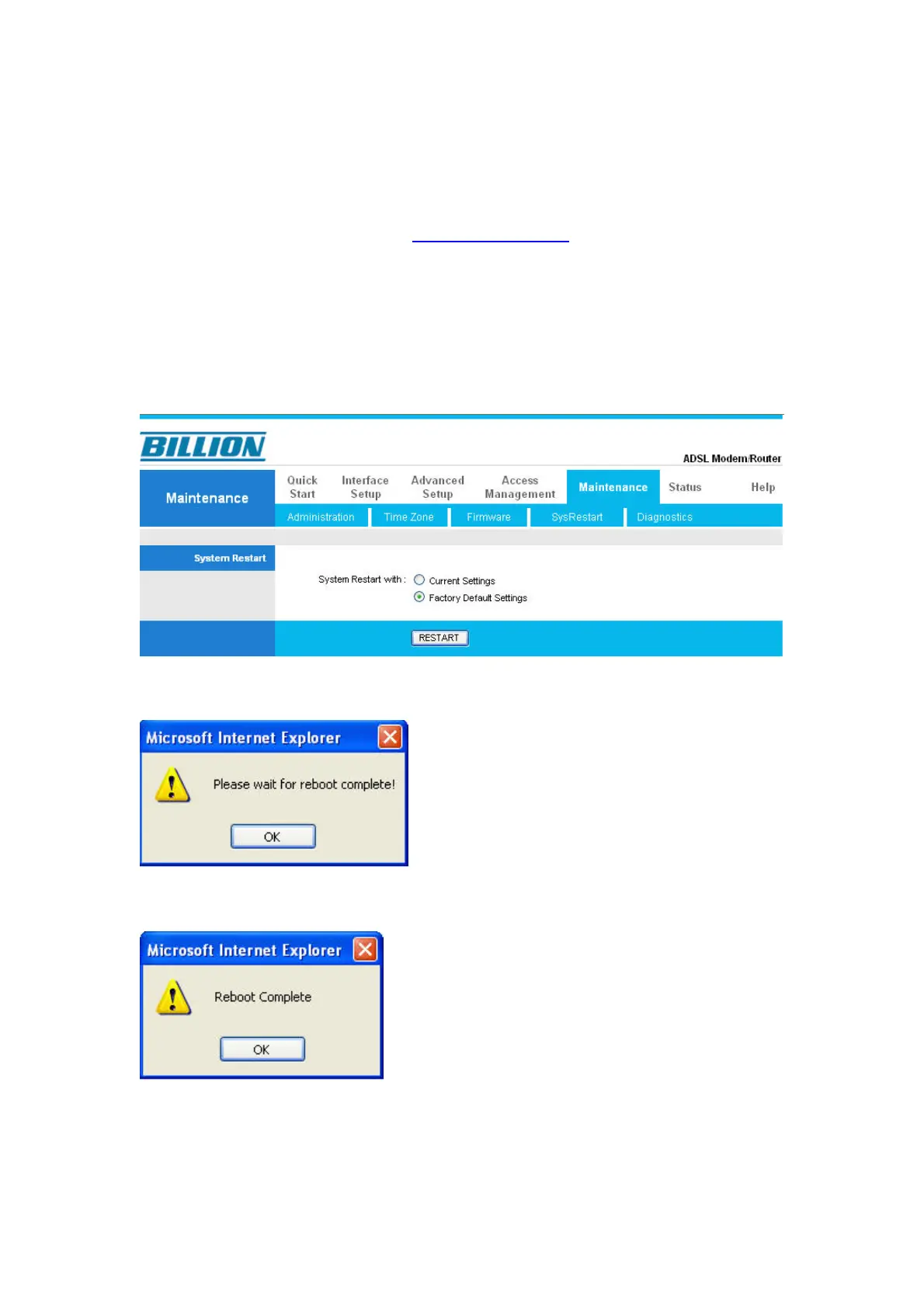
15) You will now need to restart the router back to factory default to ensure all
updates are applied properly.
16) Login back into the router via http://192.168.1.254 as shown in steps 3 to
steps 6.
17) Once you are on the router’s main webpage,
Please Goto Maintenance > SysRestart
Select “Factory Default Settings” under “System Restart with”
Press “RESTART” to restart your router.
18) The router should take around 3 minutes to restart itself.
19) The router has now been rebooted with factory default settings.
20) The firmware upgrade process is completed and we have reset the router
back to factory default. Finally you will need to follow our Quick Start Guide to
re-configure your Internet connection.




 To Previous Page