VoIP Configuration
For more information regarding each property and option, please refer to the Billion user manual.
SIP Setup
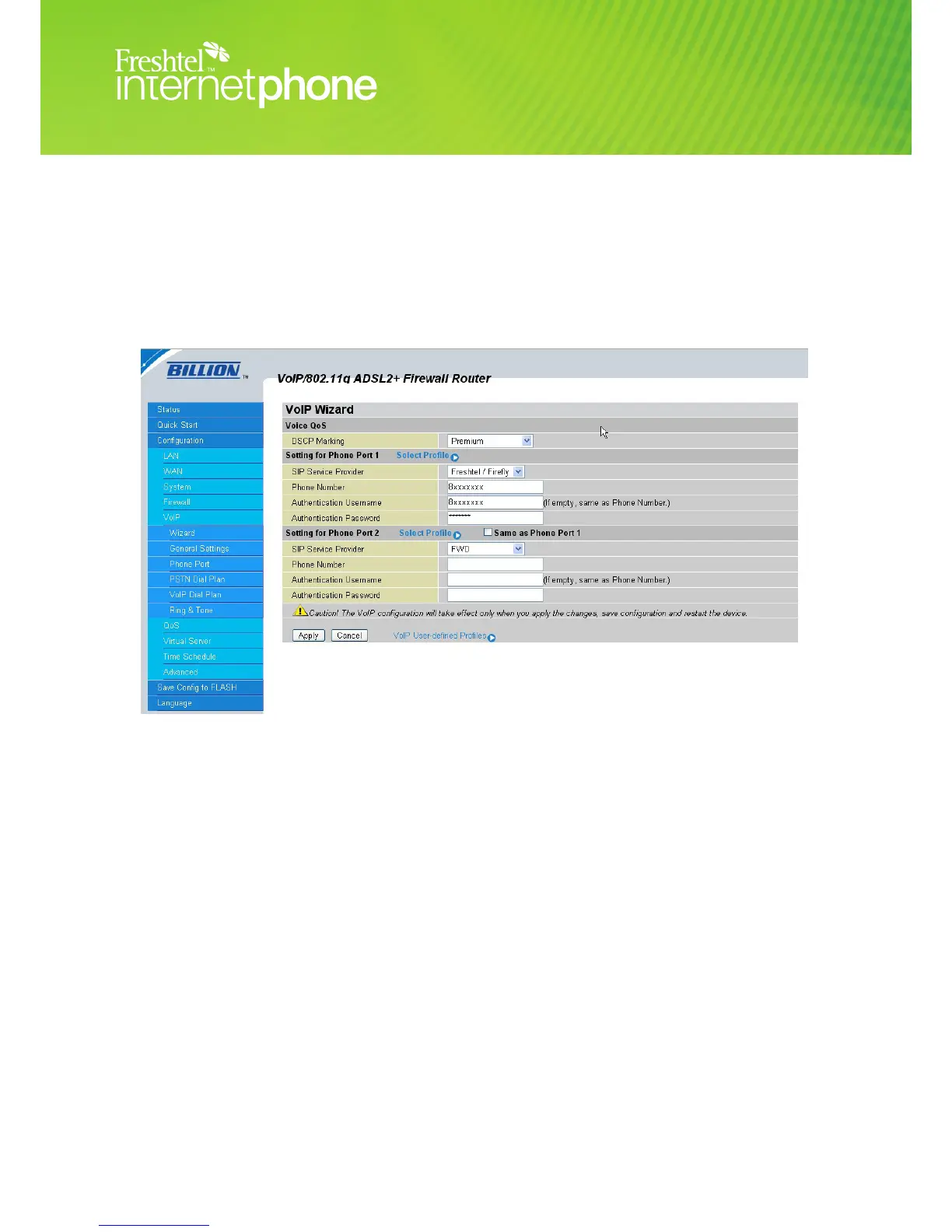
1. Click on Configuration
2. Click on VoIP
3. Click on Wizard
4. Voice QoS
a. DSCP Marking Premium
5. Phone Port 1
a. SIP Service Provider Freshtel/Firefly
b. Phone Number Your Freshtel Number
c. Authentication Username Your Freshtel Number
d. Authentication Password Your Freshtel Password
6. Click Apply
Do not set up Phone Port 2 or select the ‘Same As Port 1’ checkbox unless you have two separate
Freshtel accounts. Each Freshtel account can only be active at one point on our network at any one
time, and setting up two identical accounts in your Billion will cause conicts.
Figure 1.4




 To Next Page