VoIP/(802.11g) ADSL2+ (VPN) Firewall Router
Chapter 4: Configuration
146
Step 3: Setup VLAN Service
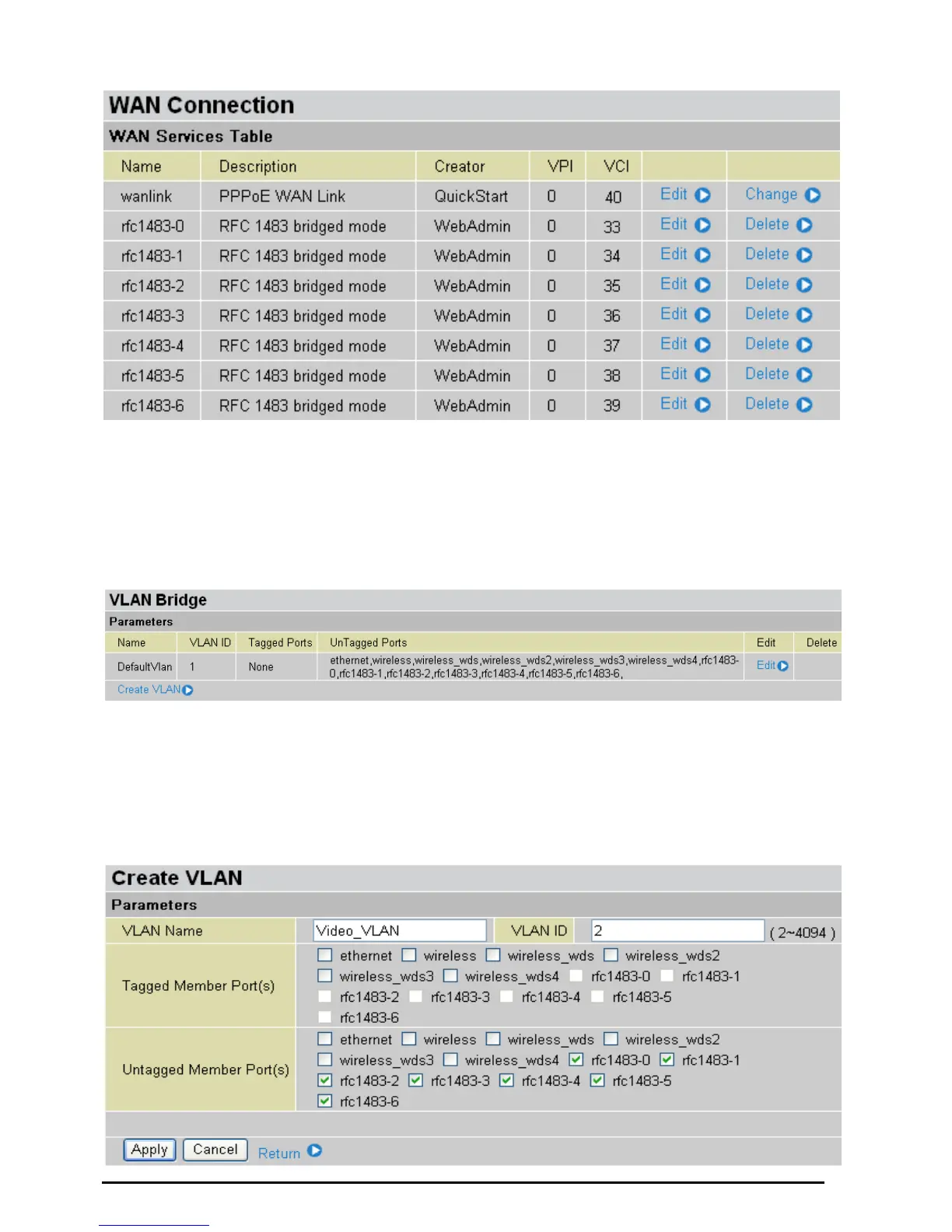
Go to Configuration Æ Advanced Æ VLAN Bridge
DefaultVlan lists all member ports. It is necessary to group specific member ports for each VLAN.
From the example, two VLAN groups are requested: Data and Video.
To create another VLAN group for Video by clicking Create VLAN.
Given a name and ID (PVID) to identify the Video group and the valid value range for PVID is 1 ~ 4094.
From the example:
VLAN untagged ports for Data/Internet: ethernet, wireless and wireless_wds.
VLAN untagged ports for Video: ethernet1, rfc-1483-0 ~ rfc-1483-6.
Click Apply to made change effective immediately.













 To Next Page