VoIP/(802.11g) ADSL2+ (VPN) Firewall Router
Chapter 4: Configuration
67
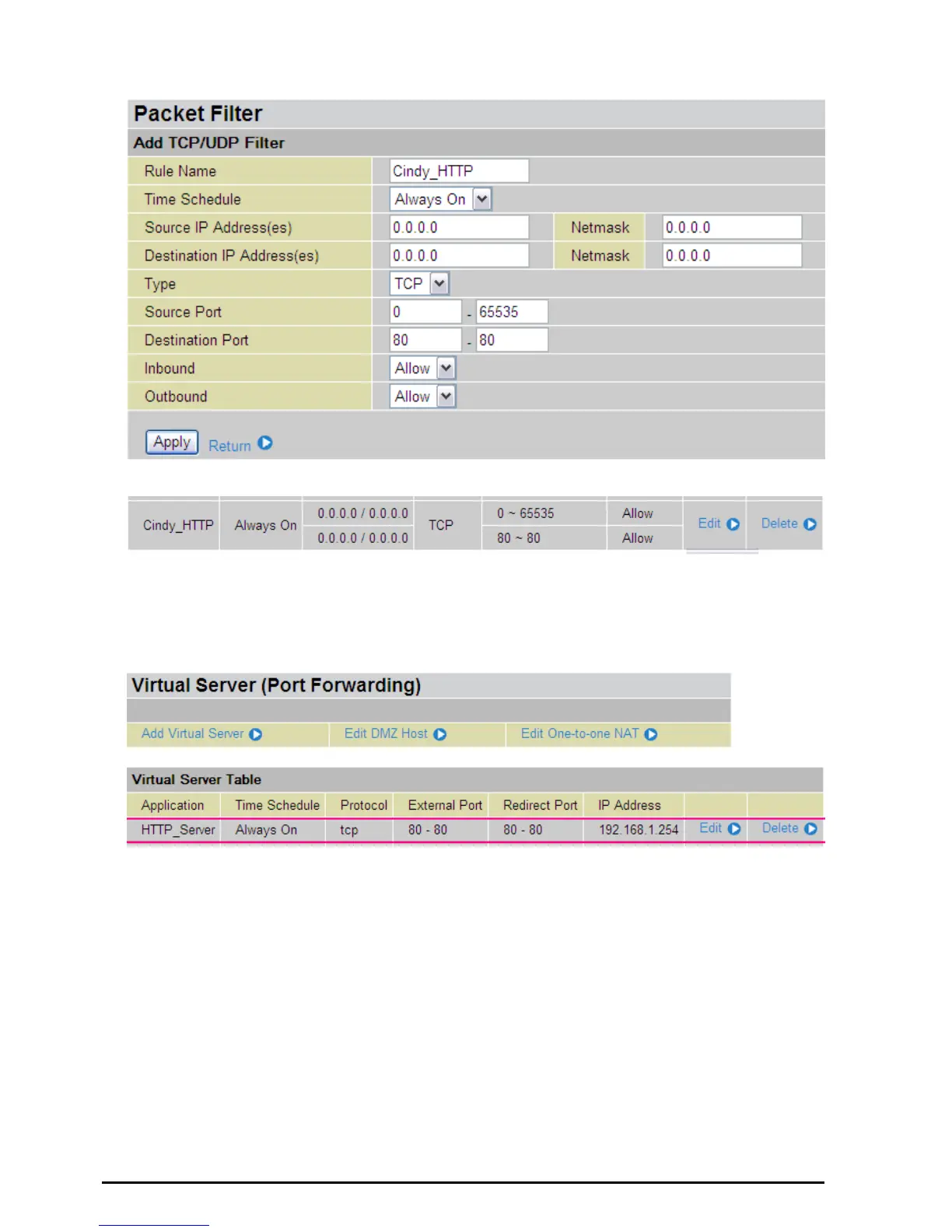
5. The new port filter rule for HTTP is shown below:
6. Configure your Virtual Server (“port forwarding”) settings so that incoming HTTP requests on port 80
will be forwarded to the PC running your web server:
Note: For how to configure the HTTP in Virtual Server, go to Add Virtual Server in Virtual Server section for more
details.













 To Next Page