14
14.2. Input / Output Control
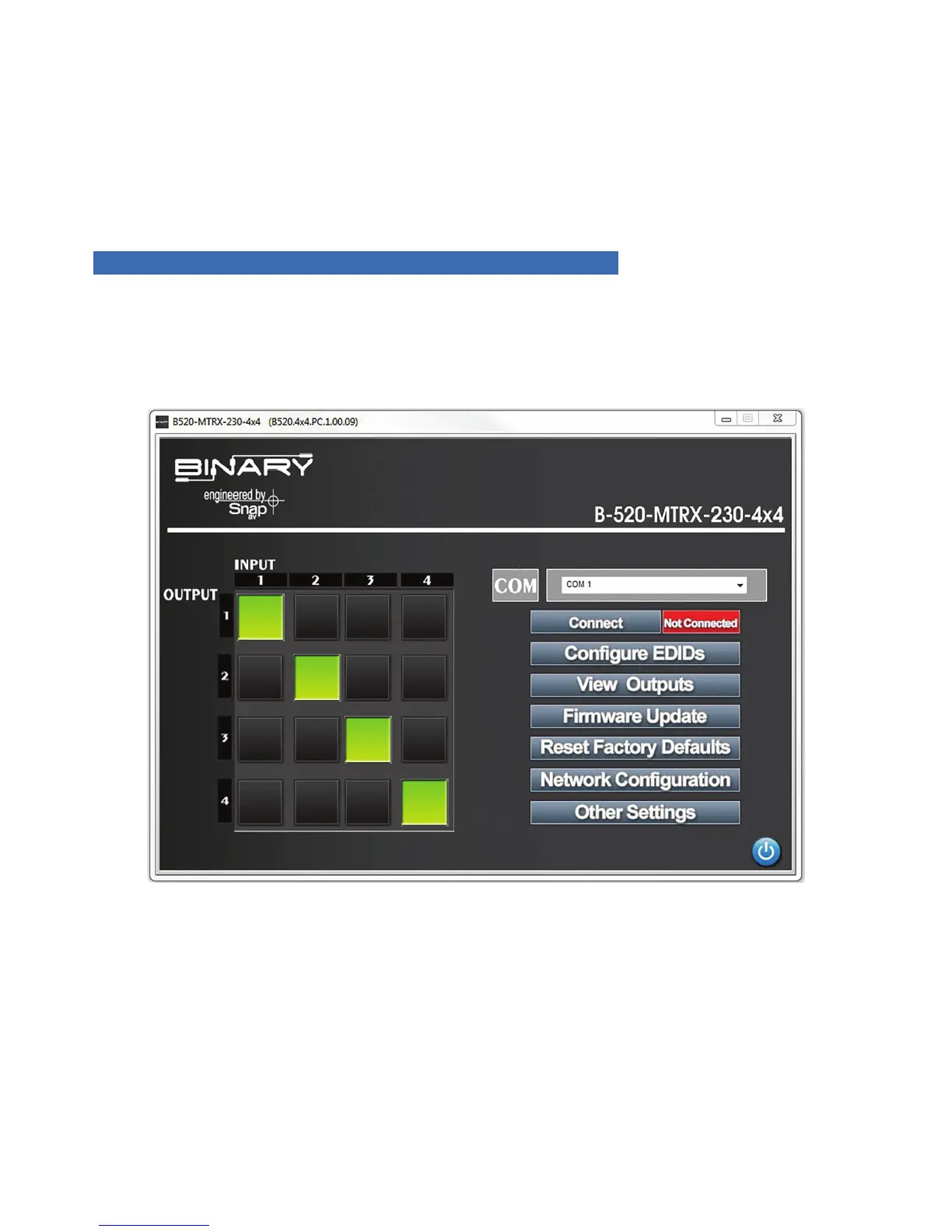
1. Assign a single Input to an Output
2. Select a gray box under the input and next to the output. The box selected will turn green.
3. Assign any Input to all Outputs
4. Select the Input number in the top row. All boxes under that input will turn green.
15. APPENDIX: CONFIGURATION UTILITY HOME SCREENS
The home screen for each version of the utility is provided in this section for reference.
15.1. B-520-MTRX-230-4x4
FIGURE 8


 To Next Page