9
8.4. Learn EDID to Input
The following examples are for the B-520-MTRX-230-8x8, but apply to all models.
EDIDs are learned into the B-520-MTRX-230 via the HDMI and HDBaseT output connections.
If you are learning from a connected display, the steps below can be followed to learn EDIDs from a display into the
B-520-MTRX-230:
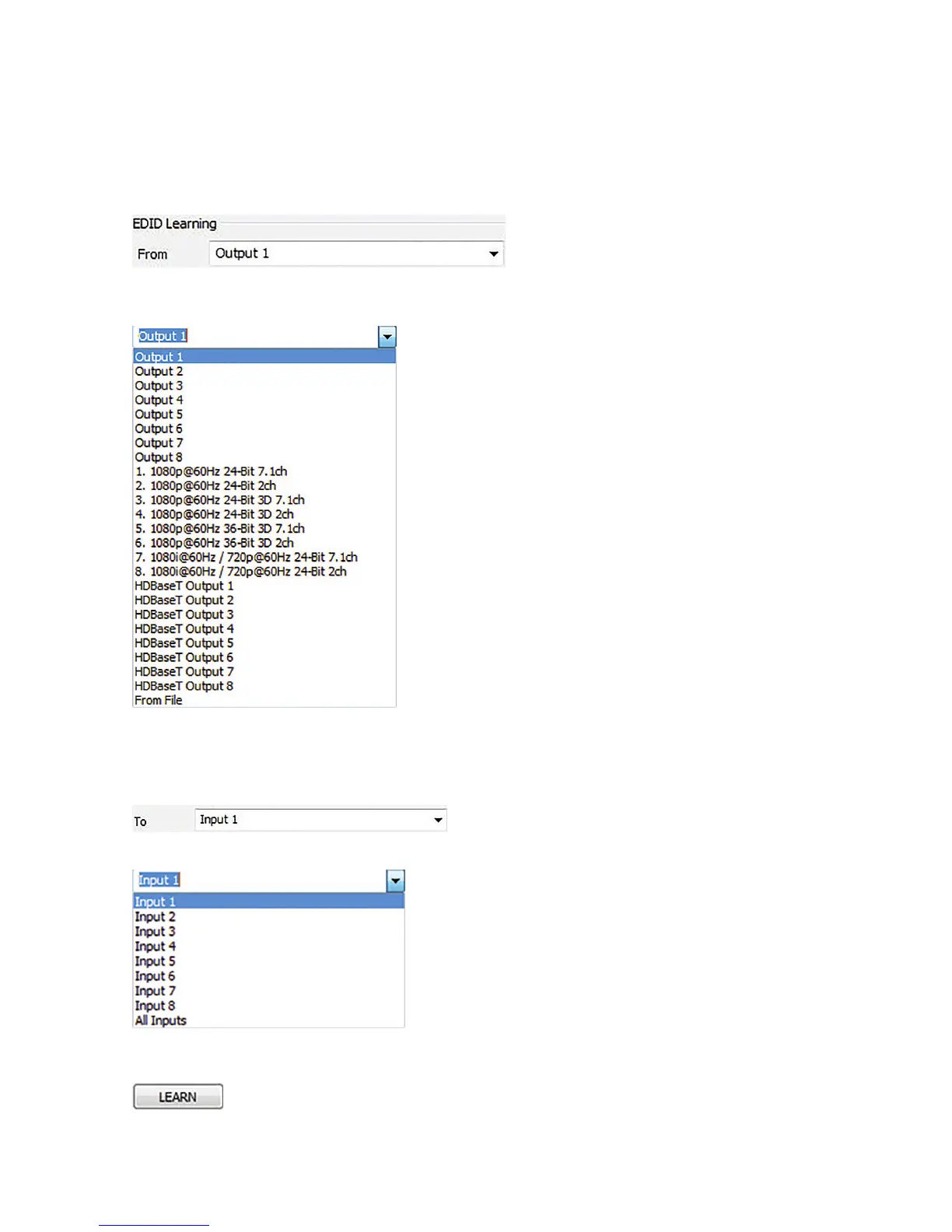
1. Select the location of the device whose EDID you will learn from in the EDID Learning “From” dropdown list:
Available Choices
NOTE: When “From File” is selected, a window will open when you learn (Step 3 on next page) that allows you to
navigate to the location where an EDID conguration le was saved. Select the desired le and select “Open”.
1. Select an Input to learn to in the “EDID Learning TO” dropdown list:
Available Choices
2. Select the LEARN button
The selected EDID is stored in the selected Input locations.


 To Next Page