5
4. DOWNLOADING THE UTILITY
The software utility is included on the CD provided with the B-520-MTRX-230 and can also be downloaded from
the product page at www.SnapAV.com. Check the site for periodic updates to ensure that the latest version of the
utility is being used.
5. UTILITY FILE LOCATION
The B-520-MTRX-230 software utility is a standalone program that does not require installation. After
downloading the utility, unzip the downloaded le to a location that is easy to remember and locate when needed,
like the example below:
• C:\My Documents\Binary\B-520-MTRX-230\CongurationUtility
5.1. B-520-MTRX-230-16x16 Files
There are 2 additional “.DLL” type les included with the utility “EXE” that must be placed in the same folder as the
utility.
6. COMMUNICATING WITH THE B-520-MTRX-230
6.1. Serial Connection
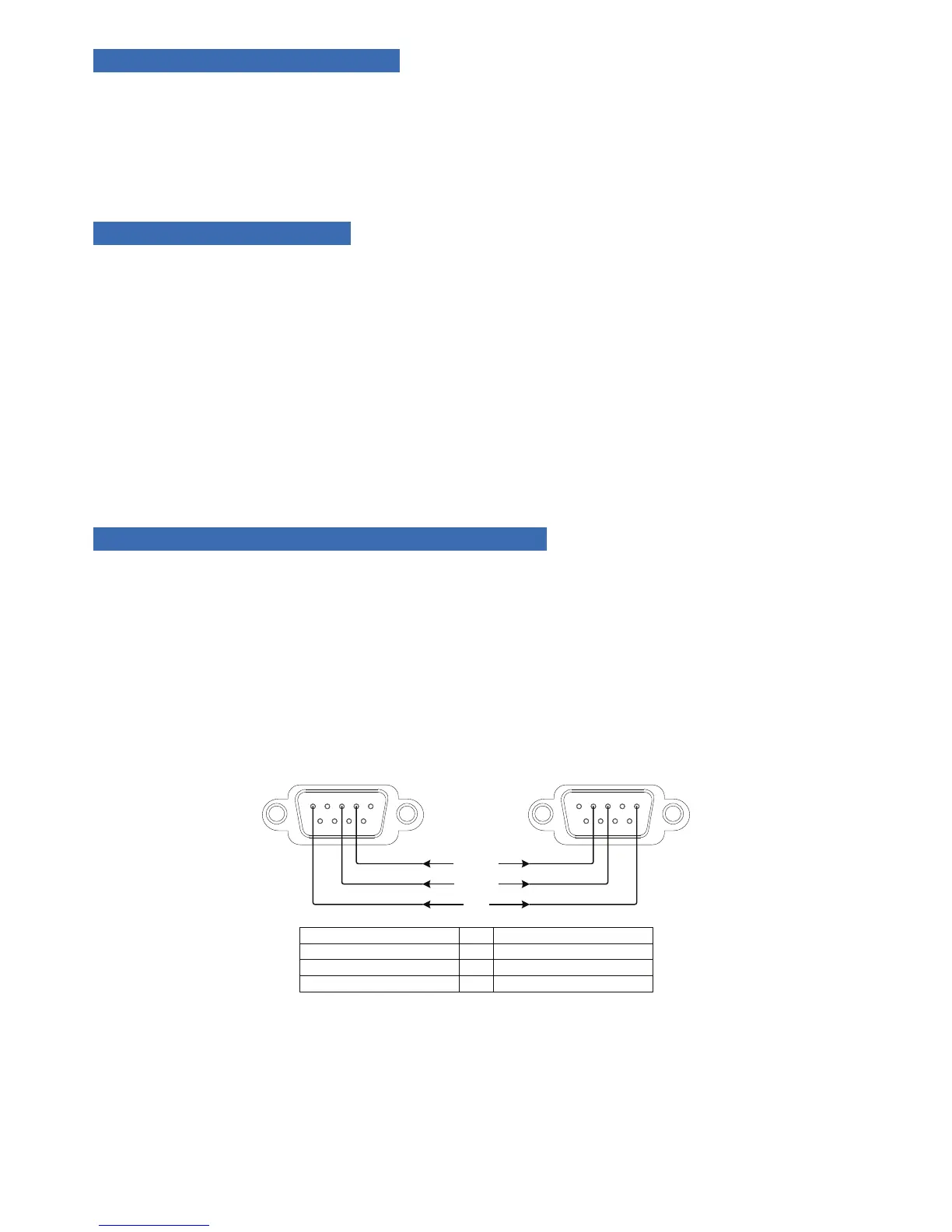
The B-520-MTRX-230 and PC communicate over DB9 straight-through serial cable. Before connecting, verify that
the pin conguration of the cable matches the diagram below.
Should the PC not have a built in DB9 connection, a USB to RS-232 adapter may be used, however it is strongly
recommended that rmware updates are not performed using an adapter.
3 25
Matrix DB9
Female Connecon
532
PC Serial DB9
Male Connecon
GND
TxD-Rxd
Rxd-Txd
B-520-MTRX-230
Pin 2 TxD (Data Transmit)
Pin 3 RxD (Data Receive)
Pin 5 GND
Computer
Pin 2 RxD (Data Receive)
Pin 3 TxD (Data Transmit)
Pin 5 GND
To
To
To
FIGURE 1


 To Next Page