EasyManua.ls Logo

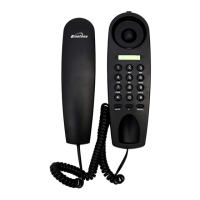
Binatone CAPRICE CAPRICE 600 - User Manual

Binatone CAPRICE CAPRICE 600
34 pages
Print Icon
To Next Page IconTo Next Page
Loading...
1
Question and Answer IconNeed help?

Do you have a question about the Binatone CAPRICE CAPRICE 600 and is the answer not in the manual?

Summary

2. Installation

Locating the Base unit

Instructions on where to place the base unit for optimal operation and safety.

4. Setting up the Caprice 600

Setting up: Flash Time

Setting up: LCD & Message

Setting up: Rings & Remote Access

Remote Access

Sets up a code for accessing answering machine features remotely.

5. Telephone Operation

Making a Call

Step-by-step guide on how to initiate a phone call.

Telephone Operation

Answering a Call

Instructions on how to respond to an incoming call.

7. Phonebook

Phonebook

Adding New Record

Steps for entering a new contact with name and number.

Making Call from Phonebook

Dialing a stored contact directly from the phonebook.

8. Caller Display operation

Caller Display Operation

Viewing Caller Display List

Accessing the history of incoming calls with caller information.

Returning Call from List

Dialing a number directly from the caller display history.

9. Answering Machine system

Answering Machine System

Recording OGM 1

Guide to recording the first custom outgoing announcement.

Turning Answering Machine ON;OFF

Instructions to enable or disable the answering system.

Playback and Pause Messages

How to play, pause, and restart recorded messages.

Deleting All Messages

Clearing all stored messages from the answering machine.

Recording OGM 2

Guide to recording the second custom outgoing announcement.

Deleting Incoming Messages

Removing individual messages from the answering machine.

10. Remote Operation

Checking Remote Access Code

How to view or verify the security code for remote access.

Checking Messages Remotely

Guide to accessing answering machine messages from a remote location.

Remote Operation

11. Operational Notes

Electrical Safety

Critical safety precautions regarding electricity and water.

12. Troubleshooting

Everyday Use Issues

Common problems encountered during normal phone usage and their solutions.

Troubleshooting

Answering Machine Issues

Solutions for problems related to the answering machine function.

13. Guarantee and Service

Summary

2. Installation

Locating the Base unit

Instructions on where to place the base unit for optimal operation and safety.

4. Setting up the Caprice 600

Setting up: Flash Time

Setting up: LCD & Message

Setting up: Rings & Remote Access

Remote Access

Sets up a code for accessing answering machine features remotely.

5. Telephone Operation

Making a Call

Step-by-step guide on how to initiate a phone call.

Telephone Operation

Answering a Call

Instructions on how to respond to an incoming call.

7. Phonebook

Phonebook

Adding New Record

Steps for entering a new contact with name and number.

Making Call from Phonebook

Dialing a stored contact directly from the phonebook.

8. Caller Display operation

Caller Display Operation

Viewing Caller Display List

Accessing the history of incoming calls with caller information.

Returning Call from List

Dialing a number directly from the caller display history.

9. Answering Machine system

Answering Machine System

Recording OGM 1

Guide to recording the first custom outgoing announcement.

Turning Answering Machine ON;OFF

Instructions to enable or disable the answering system.

Playback and Pause Messages

How to play, pause, and restart recorded messages.

Deleting All Messages

Clearing all stored messages from the answering machine.

Recording OGM 2

Guide to recording the second custom outgoing announcement.

Deleting Incoming Messages

Removing individual messages from the answering machine.

10. Remote Operation

Checking Remote Access Code

How to view or verify the security code for remote access.

Checking Messages Remotely

Guide to accessing answering machine messages from a remote location.

Remote Operation

11. Operational Notes

Electrical Safety

Critical safety precautions regarding electricity and water.

12. Troubleshooting

Everyday Use Issues

Common problems encountered during normal phone usage and their solutions.

Troubleshooting

Answering Machine Issues

Solutions for problems related to the answering machine function.

13. Guarantee and Service

Binatone CAPRICE CAPRICE 600 Specifications

General IconGeneral
BrandBinatone
ModelCAPRICE CAPRICE 600
CategoryTelephone
LanguageEnglish

Related product manuals