5. Getting Sta r te d
5.1 Installing your Device
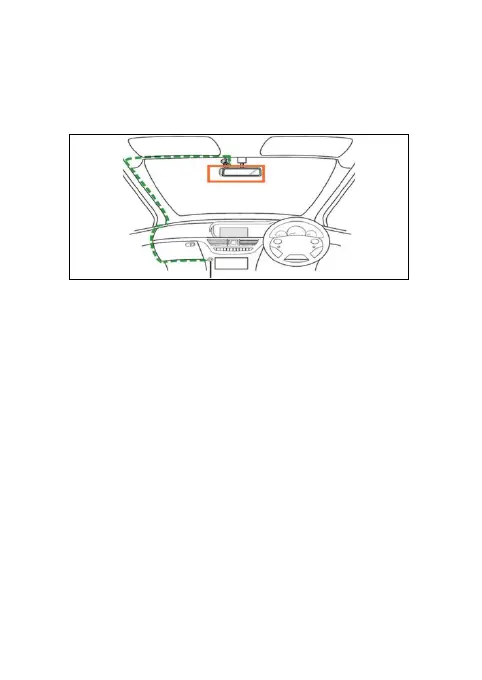
The above illustration refers to a right-hand drive car.
For left -hand drive cars, please fli p the position of
the cable installation accordingly.
1). Install your device within the rear-view mirror area
and within the wiper cleaning area to get the c learest
possible view.
2). Your device comes with a 3.6m USB power cable.
Organise the power cord so that it does not interfere
with the driver's vision. Use cable clips to secure the
power cord if necessary.
3). Place the device
on the windshield mount first.
Press the suction cup of the mount to the windshield
and press the lever to lock. Ensure the mount is
safely attached to the windshield.
4). When us ing the dashboard camera device in your
car, we recommend that you always use the cigarette
8


 To Next Page