EasyManua.ls Logo

Binatone MR600 Twin - User Manual

Binatone MR600 Twin
10 pages
Print Icon
To Next Page IconTo Next Page
Loading...
MR600 Twin
USER GUIDE
Private mobile radio
Model 0509
Private mobile radio (PMR) lets you
talk to as many people as you wish, as
often as you like, with no need for a
licence, subscription or tax payment.
It’s very easy to use, even for children.
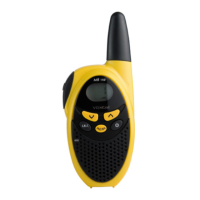
Each MR600 handset can also be used
as a stopwatch.
MODE
CALL
START
LOCK
STOP
2
09
01
CODE VOL
LOCK/STOP button
To lock the keypad, and to
stop the stopwatch
CALL/START button
To send ringing tone to other handsets,
and to start the stopwatch
MODE button
To program the handset’s settings
UP /DOWN buttons▲▼
To change the volume and to change
settings during programming
ON/OFF button
At the side of the handset …
PTT (PUSH to TALK) button
Press and hold this while you’re
transmitting
MON (MONITOR) button
To monitor the current channel
On the front …
Issue 1. December 2001
Question and Answer IconNeed help?

Do you have a question about the Binatone MR600 Twin and is the answer not in the manual?

Summary

Unpacking and Support

Unpacking your MR600 Twin

Details the items included in the MR600 Twin package, such as handsets, charger, and accessories.

If you need help

Provides contact information for the Binatone Help Line and operating hours for assistance.

Getting Ready for Use

Fit a battery pack in each handset

Instructions on how to insert the battery pack into the handset correctly.

Fit the belt clips (optional)

Guide on attaching the belt clip to the handset for convenient carrying.

Connect the charger pod to the mains power supply

Steps to connect the charger pod to a power source using the provided adapter.

Charge the handsets battery packs

Information on charging the rechargeable battery packs and expected charging time.

Basic Operation

Switching on and off

Procedure for powering the handset on and off, including audible confirmation.

Volume control

How to adjust the loudspeaker volume using the handset buttons.

Spare batteries

Information on using alternative AAA alkaline batteries and their fitting.

What youll see on the display

Explanation of the various icons and indicators shown on the handset's display.

Channels and Codes

Introduction

Overview of PMR channels, talk range, and the use of CTCSS codes for private communication.

Setting the channel

Steps to select a communication channel for the handset.

Setting CTCSS Codes and Safety

Setting the CTCSS code

Instructions for setting or turning off the CTCSS (Continuous Tone-Coded Squelch System) feature.

Safety warnings

Important safety precautions regarding radio frequency exposure and outdoor use.

Transmitting and Receiving

To speak to another handset user

Procedure for transmitting voice messages using the PTT button.

To listen to another handset user

How to receive transmissions and adjust volume.

Advanced Receiving and Modes

Using VOX mode

Enabling and configuring the Voice Operated Exchange (VOX) mode for hands-free transmission.

Monitoring the current channel

How to use the monitor function to listen for weak signals or background noise.

Scanning, Ring Tones, and Locking

Scanning channels

Instructions on how to activate and use the channel scanning feature.

Call Ring tone

How to select and send a call ring tone to alert other users.

Locking the buttons

Procedure to lock and unlock the handset's buttons to prevent accidental changes.

Other Handset Features

Turning key tones on and off

How to enable or disable the audible tones produced when pressing handset buttons.

Auto-Power-Off (APO)

Explanation of the feature that automatically turns off the handset to save battery life.

Stopwatch Functionality

Using the handset as a stopwatch (Timer)

Instructions on how to use the handset's built-in stopwatch feature.

Hands-Free Kit and Technical Details

Using a hands-free kit

Guide on connecting and using an optional hands-free kit with the MR600 Twin.

Safe hands-free use

Safety recommendations for using hands-free accessories, particularly regarding volume and placement.

Technical details

Specifications including operating frequency, channel spacing, and power source.

Troubleshooting

Troubleshooting

Common problems and solutions for issues like no reception, no transmission, and interference.

Cleaning and Care

Cleaning and care

Instructions on how to clean the MR600 Twin handset safely without causing damage.

Summary

Unpacking and Support

Unpacking your MR600 Twin

Details the items included in the MR600 Twin package, such as handsets, charger, and accessories.

If you need help

Provides contact information for the Binatone Help Line and operating hours for assistance.

Getting Ready for Use

Fit a battery pack in each handset

Instructions on how to insert the battery pack into the handset correctly.

Fit the belt clips (optional)

Guide on attaching the belt clip to the handset for convenient carrying.

Connect the charger pod to the mains power supply

Steps to connect the charger pod to a power source using the provided adapter.

Charge the handsets battery packs

Information on charging the rechargeable battery packs and expected charging time.

Basic Operation

Switching on and off

Procedure for powering the handset on and off, including audible confirmation.

Volume control

How to adjust the loudspeaker volume using the handset buttons.

Spare batteries

Information on using alternative AAA alkaline batteries and their fitting.

What youll see on the display

Explanation of the various icons and indicators shown on the handset's display.

Channels and Codes

Introduction

Overview of PMR channels, talk range, and the use of CTCSS codes for private communication.

Setting the channel

Steps to select a communication channel for the handset.

Setting CTCSS Codes and Safety

Setting the CTCSS code

Instructions for setting or turning off the CTCSS (Continuous Tone-Coded Squelch System) feature.

Safety warnings

Important safety precautions regarding radio frequency exposure and outdoor use.

Transmitting and Receiving

To speak to another handset user

Procedure for transmitting voice messages using the PTT button.

To listen to another handset user

How to receive transmissions and adjust volume.

Advanced Receiving and Modes

Using VOX mode

Enabling and configuring the Voice Operated Exchange (VOX) mode for hands-free transmission.

Monitoring the current channel

How to use the monitor function to listen for weak signals or background noise.

Scanning, Ring Tones, and Locking

Scanning channels

Instructions on how to activate and use the channel scanning feature.

Call Ring tone

How to select and send a call ring tone to alert other users.

Locking the buttons

Procedure to lock and unlock the handset's buttons to prevent accidental changes.

Other Handset Features

Turning key tones on and off

How to enable or disable the audible tones produced when pressing handset buttons.

Auto-Power-Off (APO)

Explanation of the feature that automatically turns off the handset to save battery life.

Stopwatch Functionality

Using the handset as a stopwatch (Timer)

Instructions on how to use the handset's built-in stopwatch feature.

Hands-Free Kit and Technical Details

Using a hands-free kit

Guide on connecting and using an optional hands-free kit with the MR600 Twin.

Safe hands-free use

Safety recommendations for using hands-free accessories, particularly regarding volume and placement.

Technical details

Specifications including operating frequency, channel spacing, and power source.

Troubleshooting

Troubleshooting

Common problems and solutions for issues like no reception, no transmission, and interference.

Cleaning and Care

Cleaning and care

Instructions on how to clean the MR600 Twin handset safely without causing damage.

Binatone MR600 Twin Specifications

General IconGeneral
Number of Handsets2
Caller IDYes
Standby TimeUp to 100 hours
Channels120
Output Power250mW
TypeDECT 6.0 Cordless Phone
Phonebook Memory50 entries
RangeUp to 300 meters outdoors
Power sourceMains power and rechargeable battery
Frequency Range1880-1900 MHz
BatteryNiMH rechargeable battery

Related product manuals