EasyManua.ls Logo

Binatone MR 700 - User Manual

Binatone MR 700
13 pages
Print Icon
To Next Page IconTo Next Page
Loading...
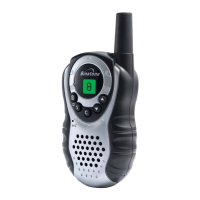
About your MR700
You can use your MR700 handset as:
a private mobile radio (PMR), for communicating with other
people
an FM receiver, for listening to broadcast radio stations
a panic alarm
a stopwatch (timer)
a torch
Private mobile radio (PMR) lets you talk to as many people as you
wish, as often as you like, with no need for a licence, subscription or
tax payment. It’s very easy to use, even for children.
Unpacking your MR700
In the box are:
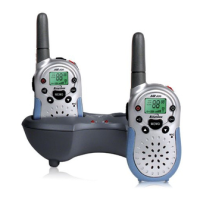
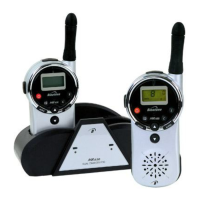
two MR700 handsets
one dual charger pod
one mains power lead with adapter, for the
charger pod
two hands-free headsets
two rechargeable battery packs
If you need help …
The Binatone Help Line is available from 9.00 am to 5.00 pm,
Monday to Friday, on 01325 304 473.
Emergency calls
In the event of an incident or accident, the MR700 cannot be
used for contacting Emergency or Rescue services.
Question and Answer IconNeed help?

Do you have a question about the Binatone MR 700 and is the answer not in the manual?

Summary

Getting Ready for Use

Fit Battery Pack

Instructions for inserting the battery pack into the handset.

Connect Mains Power Lead

Connecting the power lead to the charger pod.

Connect Charger Pod to Power Supply

Connecting the charger pod to the mains power.

Charge Handsets Battery Packs

How to charge the battery packs in the handsets.

Getting Started

Switching On and Off

Steps to turn the MR700 handset on and off.

Safety Warnings

Important Precautions

Key safety advice for using the MR700, including headset use and lightning.

Using the PMR

Using the FM Radio

Troubleshooting

No Reception Issues

Common causes and solutions for not receiving transmissions.

No Transmission Issues

Common causes and solutions for not being able to transmit.

Problems Using VOX Function

Troubleshooting steps for issues with voice-activated transmission.

Cannot Change Channel;Code

Solutions for inability to change channels or CTCSS codes.

Poor or Noisy Reception

Causes and solutions for degraded reception quality.

Summary

Getting Ready for Use

Fit Battery Pack

Instructions for inserting the battery pack into the handset.

Connect Mains Power Lead

Connecting the power lead to the charger pod.

Connect Charger Pod to Power Supply

Connecting the charger pod to the mains power.

Charge Handsets Battery Packs

How to charge the battery packs in the handsets.

Getting Started

Switching On and Off

Steps to turn the MR700 handset on and off.

Safety Warnings

Important Precautions

Key safety advice for using the MR700, including headset use and lightning.

Using the PMR

Using the FM Radio

Troubleshooting

No Reception Issues

Common causes and solutions for not receiving transmissions.

No Transmission Issues

Common causes and solutions for not being able to transmit.

Problems Using VOX Function

Troubleshooting steps for issues with voice-activated transmission.

Cannot Change Channel;Code

Solutions for inability to change channels or CTCSS codes.

Poor or Noisy Reception

Causes and solutions for degraded reception quality.

Binatone MR 700 Specifications

General IconGeneral
Frequency Range (FM)87.5 - 108 MHz
TypePortable
Tuner TechnologyAnalog
Supported radio bandsFM
Power sourceBattery, Mains
Power Supply (Battery)4 x AA (not included)

Related product manuals