Using the FM radio
See page 4 for details of how to switch between modes.
To tune the
radio
1 Make sure the handset is in FM or PMR/FM
mode
2 Press the + (START/CALL) or – (STOP/LOCK)
button to go to the station you want
You can either press and hold the button then
release it for auto-scanning; or press the button
briefly and repeatedly to go to a specific channel
(manual scanning).
To store radio
stations in
memory
The MR700 has five memories for storing your
favourite radio stations.
1 Make sure the handset is in FM or PMR/FM
mode
2 Press the + (START/CALL) or – (STOP/LOCK)
button to go to the station you want
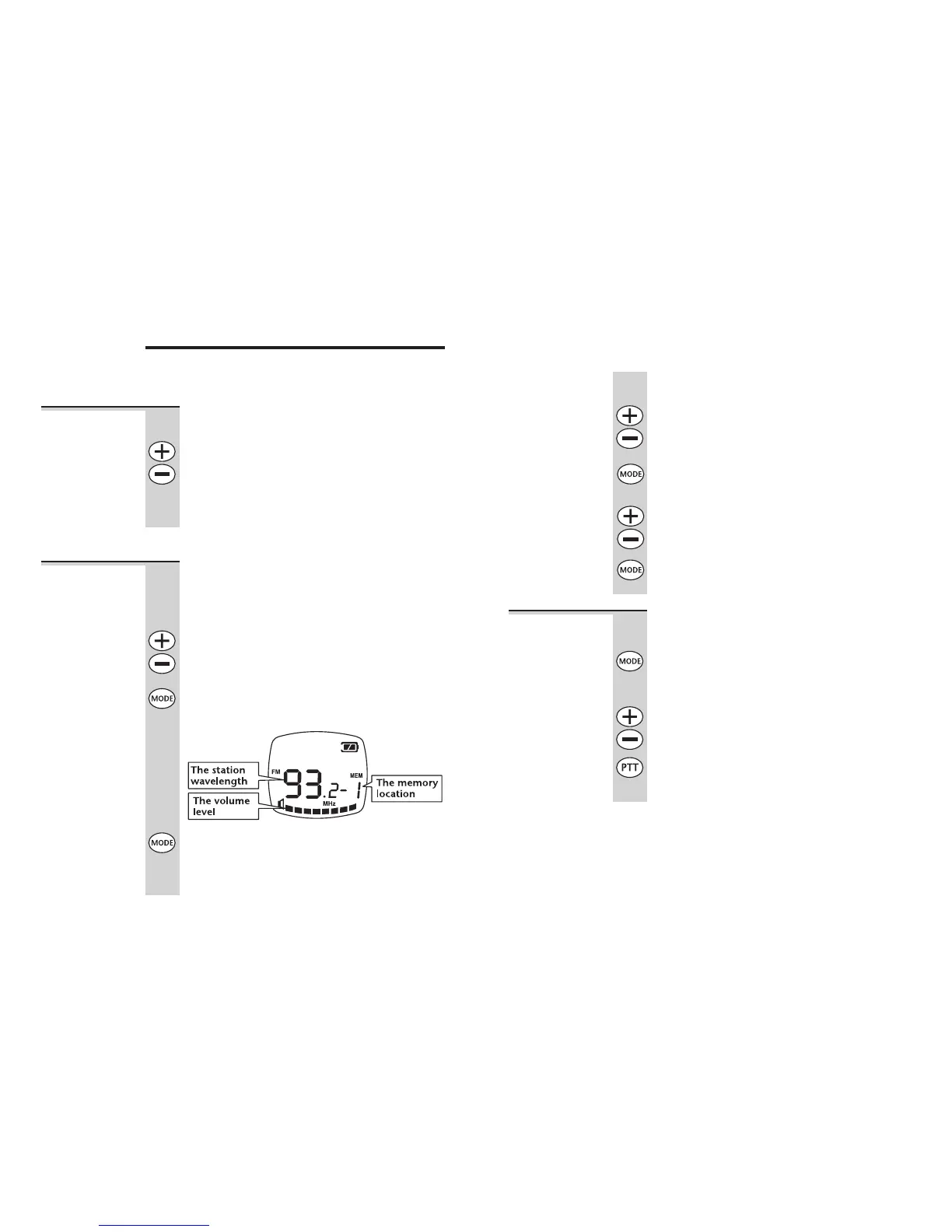
3 Press the MODE button TWICE
Memory location 1 flashes on the display — for
example:
4 Press and hold the MODE button for 1 second
until you hear a double-beep tone
You have now stored this station in memory
location 1.
14
To store stations in memories 2 to 5
1 Make sure the handset is in FM or PMR/FM
mode
2 Press the + (START/CALL) or – (STOP/LOCK)
button to go to the station you want
3 Press the MODE button TWICE
Memory location 1 flashes on the display.
4 Press the + (START/CALL) or – (STOP/LOCK)
button to go to the memory location you
want
5 Press and hold the MODE button for 1 second
until you hear a double-beep tone
To select and
play a stored
station
1 Make sure the handset is in FM or PMR/FM
mode
2 Press the MODE button ONCE
Memory location 1 flashes on the display and
the station wavelength is shown.
3 Press the + (START/CALL) or – (STOP/LOCK)
button to go to the memory location you
want
4 Press the PTT button
Using the FM radio
Binatone Help Line: 01325 304 473 15



 To Next Page