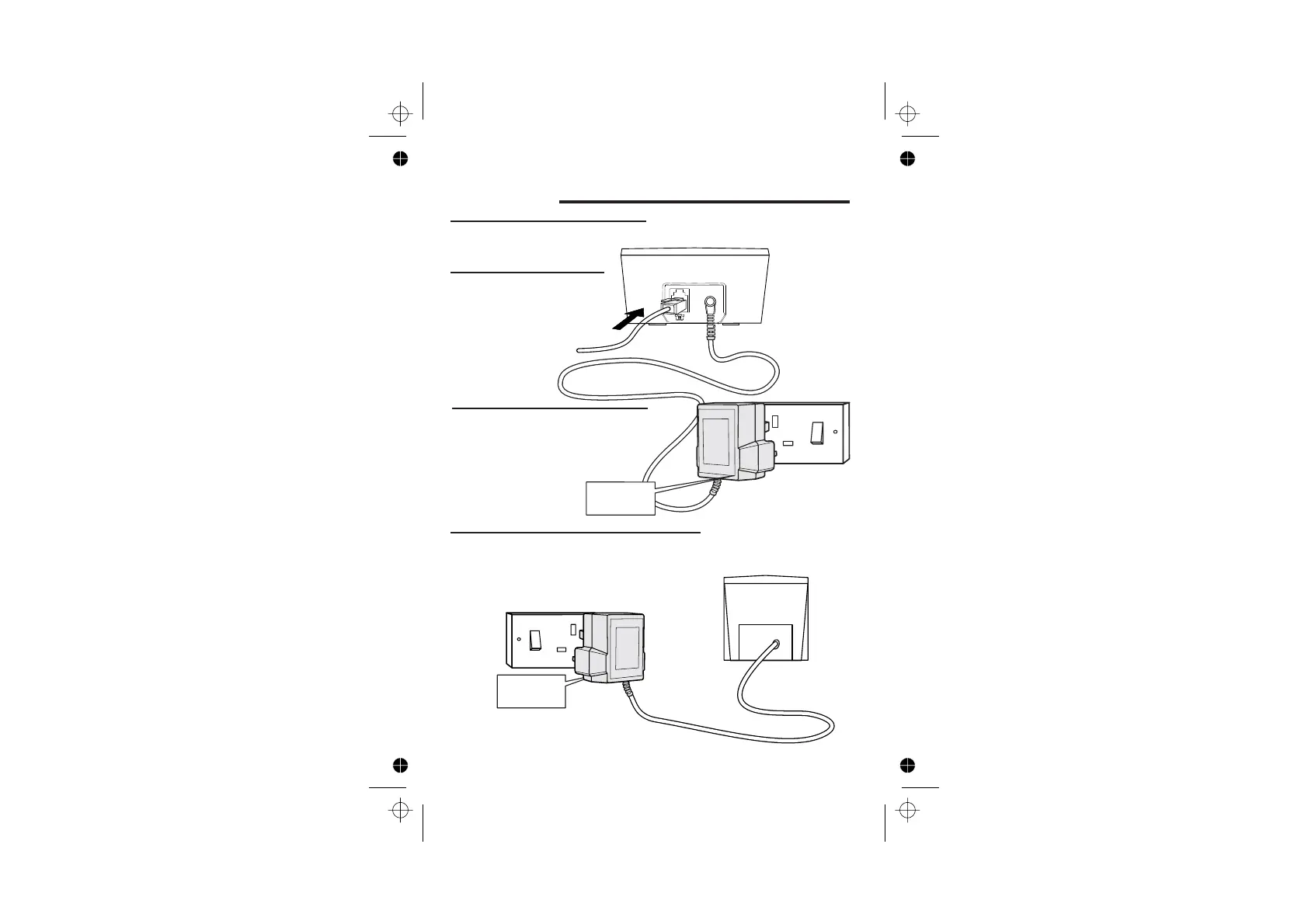
Installation and set-up
Color profile: Generic CMYK printer profile
Composite Default screen
http://www.binatoneonline.com/ 5
3
4
Plug the mains adapter into a
230 V AC, 50 Hz mains socket,
with the switch on the socket
set to OFF,the socket-outlet
Plug the mains adapter into a 230 V AC,50Hz
mains socket, with the switch on the socket
set to OFF,the socket-outlet need to be
Install the charger pod(s) …
Connect the mains power
lead and the telephone
line cord into the
2
Use the telephone line
supplied with your
don’t
use any other
telephone line cord
cord
See the note
on page 4
See the note
on page 4
1
Choose a suitable site for the
base unit telephone
See page 4
DECT Phone-
back of the base unit
near the equipment and shall be easily
accessible.
need to be near the
equipment and shall be
easily accessible.














 To Next Page