- 11 -
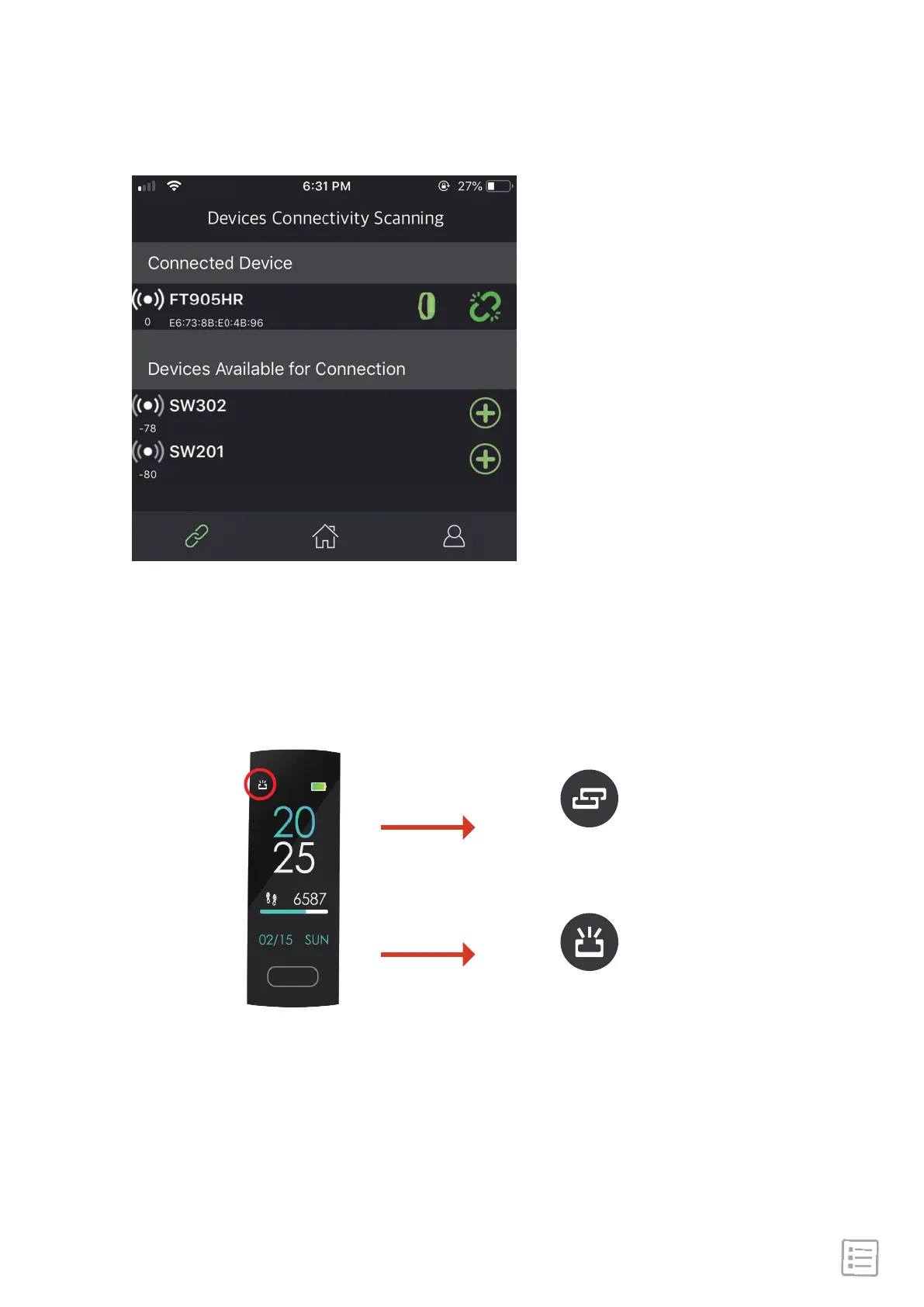
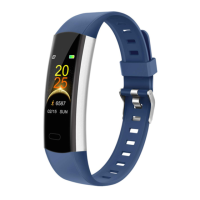
Once the device is connected to the mobile phone, the
connection icon changes from disconnected to connected (see
images).
After successful connection with App, set your personal data in
"Dashboard"->"User Profile", then sync the information to the
device, it will immediately start to monitor your daily activity.
Disconnected
Connected


 To Next Page