- 12 -
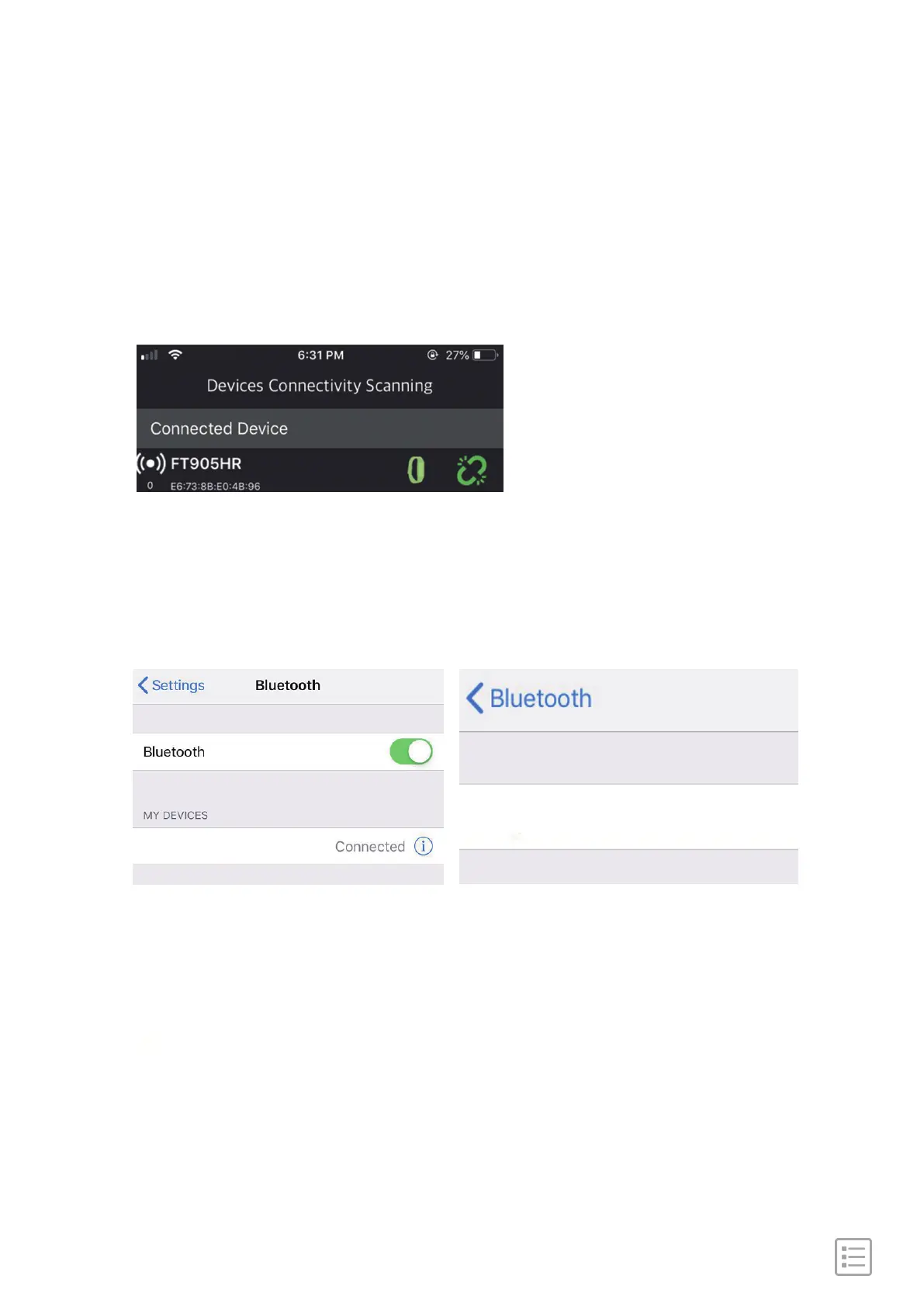
For iOS, first go to connected device and disconnect device by
clicking the right icon and then go to iphone
Setting->Bluetooth->Forget this device.
For Android, go to the page of "Device Connectivity Scanning"
and disconnect device by clicking the icon on the right.
Disconnect from phone
FT905HR
Forget This Device
Now discoverable as "iPhone".
FT905HR


 To Next Page