Vehicle Roof
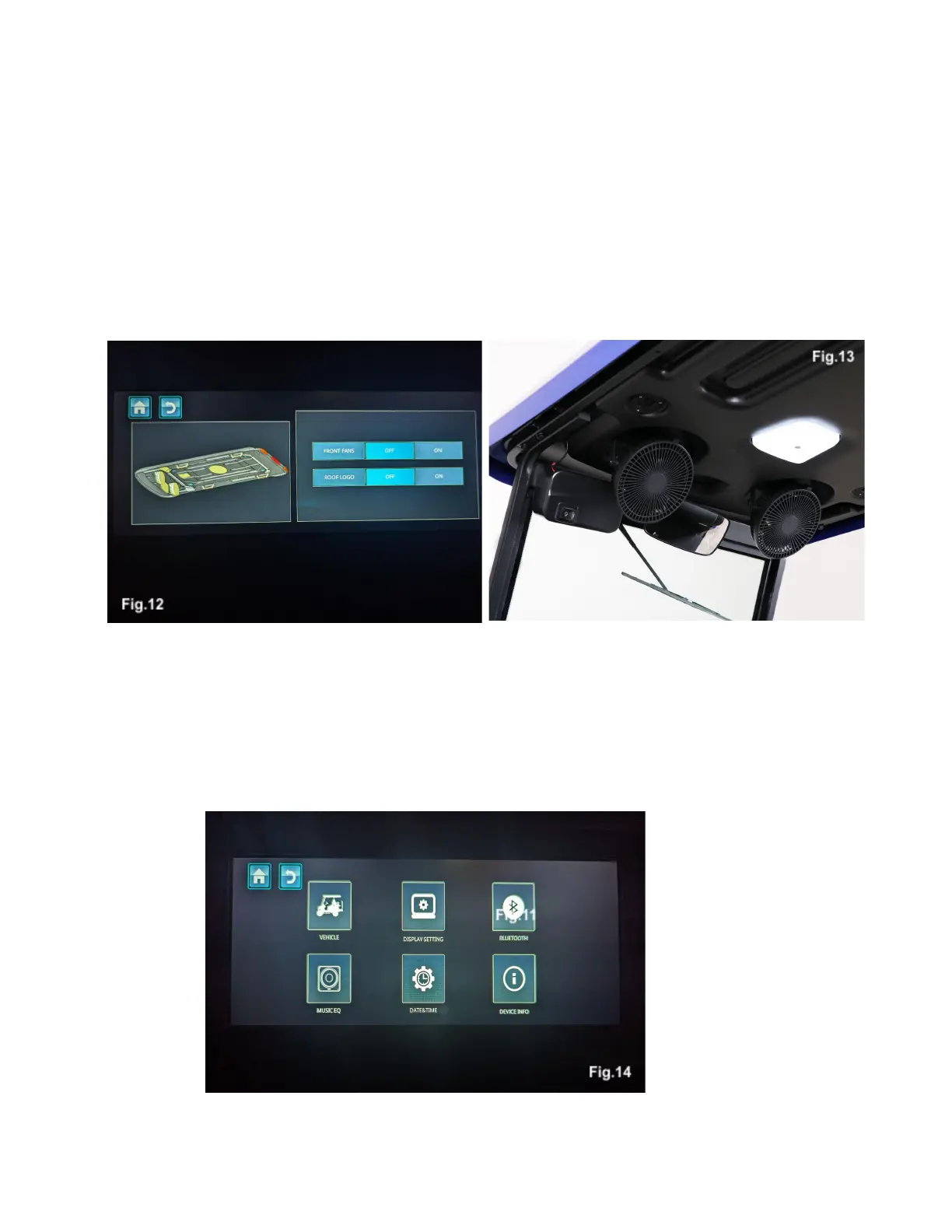
Touching the vehicle roof icon will display a screen that controls the features of your Nexus’ roof, Fig. 12.
Touch on or off to turn the vehicle's fans and overhead logo lighting on or off, Fig. 13. To dim the light,
press and hold the on/off button. The dome light mounted above the driver's seat is turned on and off by
touching the center of the light. The buttons in the upper left corner will take you to the home screen or
back one screen respectively.
Settings
Touching the settings icon will bring up a menu to make changes to your Nexus settings, Fig. 14.



 To Next Page