60
9.9. USER MENU 2
To access user menu 2 it is necessary push the botton in the display.
The next table describes briefly the structure of the user menu 2 in the boiler. The available options for the user are specified.
To select different menus it is necessary to push in each line (menu) and you will access to different available submenus. To modify the values
we have the keys and to increase and decrease and confirmation key . To exit from the menu it is necessary to push the key and
go to the main screen, or increase one menu level pushing the key .
Menu Submenu 1 Submenu 2
Keyboard set up Date and hour Value
Language Italian, English, German, French, Spanish and Portuguese
Display Light contrast Value ( between 1 and 100)
Keyboard direction Protected by password
Node list
System menu Protected by password
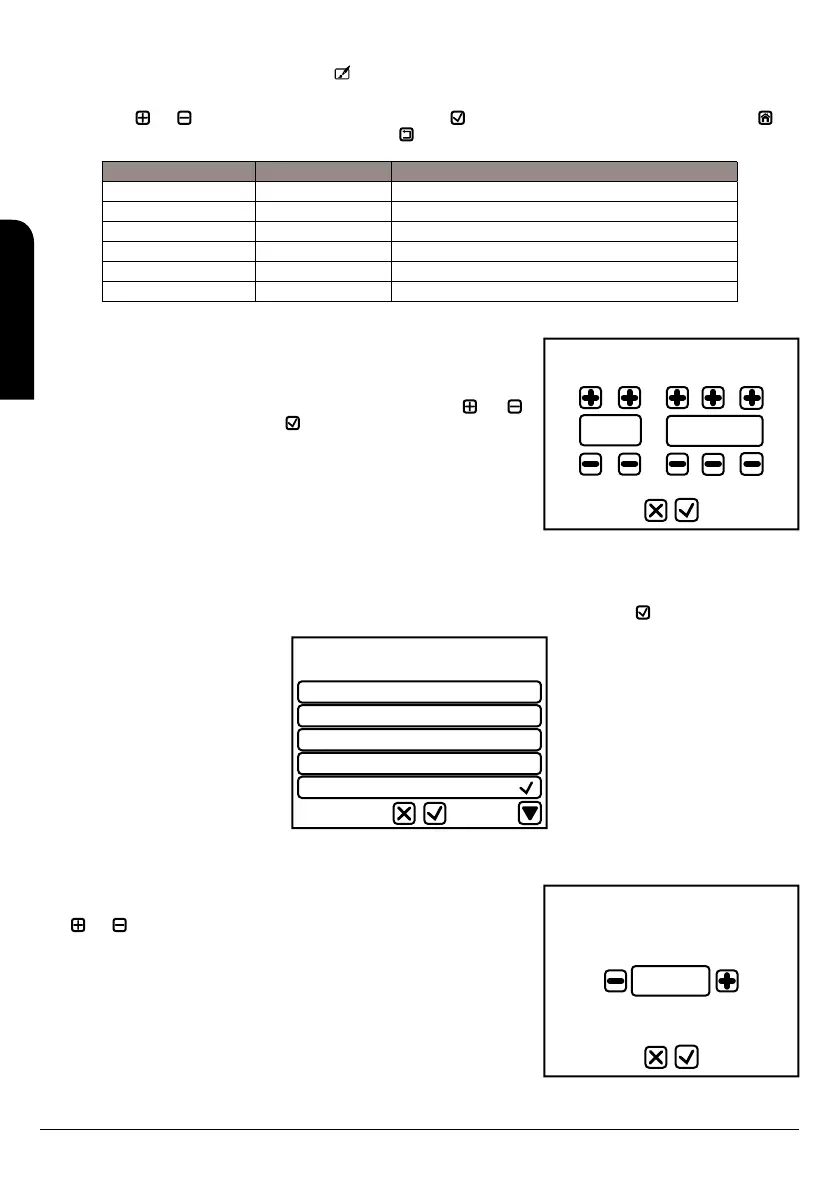
Set time and date
11:41
27/05/2016
9.9.1. MENU 1. DISPLAY SET
9.9.1.1. DATE AND HOUR
Establish the date and the hour. To do it we have to move in the different menus (hours,
minutes, year, month, date) and to modify the values we have to push the keys and to
increase and decrease and confirmation key .
9.9.1.1. LANGUAGE
By entering this submenu we can select the language in the LCD display; the available languages are: Italian, English, German, French,
Spanish and Portuguese. To change it we have to move along the different languages and confirm with the key .
Italiano
English
Deutsch
Français
Español
Language
Display Light
50
Min: 1 Val: 50 Max: 100
9.9.2. MENU 2. SCREEN
9.9.2.1. LIGHT SCREEN
This menu allows to modify the contrast of the light in the display. We can modify with the
keys and to increase and decrease and confirmation key .
EN
INSTALLATION, OPERATING AND SERVICING INSTRUCTIONS HYDROBOX, HYDROTEX AND HYDROCONFORT



 To Next Page